Thoughts
The gosh people on Reddit, can't make it more than 3 comments into a thread before someone has made a snarky comment about how Trump is
authoritarian, implying that Biden is not. Like, in what world is Biden not authoritarian?
Thank good there are software updates available for my computer so I have to reboot and can’t do work. Sounds great.
I used to listen exclusively to bands with absolutely raw lyrics.
“You’ve got a face not spoiled by beauty” -Song for Someone, U2
I'm so tempted to make call out posts for people on here with their full names. Because like, what are they going to do.
But Google has found this page before, and I'm a coward.
This website is dedicated to 3 things.
First, of course, is thoughts. The mere act of creating ideas is good, and those ideas should be shared.
Second, is words. Words still have power.
Third, is design. Design is simplicity and functionality and form and appearance.
We had a couple of mice in the attic, so I bought mouse traps. We have some left over. I've been using one as a fidget toy.
You claim I’m not oppressed, yet when I put my retainer in my mouth for the first time in a month it hurts like hell. Checkmate liberals.
Kafka’s *Metamorphosis* is one of those things that you read, the feel proud of yourself for reading, and then reference it and try to get
other people to read it because you want them to experience the same emotions; not because you actually like the book.
It’s like a tragedy that isn’t sad. It’s a weird book, not necessarily a good book.
“Good thing / it only takes a little faith / to move a mountain / because a little faith / is all I have”
-Even If, MercyMe
People will describe something as "fiction," and it's like a story about normal people. When I say fiction, I mean fantasy. Please.
I love Ben Burrill. 10/10. Easily my favorite KA programmer of all time.
```js
var ast = win.esprima.parse(code);
win.walkAST(ast, null, [win.ASTTransforms.rewriteContextVariables("module_context", context)]);
return win.escodegen.generate(ast);
```
What does this mean? What does it do? Only Ben Burrill knows.
"Something Wild," Lindsey Stirling (feat. Andrew McMahon In the Wilderness), is really good. Genre-wise it's probably folk,
I don't love folk, but there are some songs, like this one, that are very good.

Incels, garbage. But every so often you run across a volcel. It's like striking gold.
I only pulled the good parts out of his 1000 word essay. Just kidding, it's almost all like this.
> This is the only time I've ever cheated for a competitive website. Not that I expect anyone to believe that, but it's true. I don't even know what alcohol tastes like. I've never smoked and I've never done drugs. I'm a 30 year-old virgin. I've never even kissed a girl. I went all the way through college and graduated cum laude without cheating a single time... but I did cheat in a video game once :)
> I only pointed out that I don't know what alcohol tastes like, never smoked, never had sex, etc. to show how horrible and out of character this was. I had never done anything of this evil magnitude before and I never will again.
> Just one week before caivs discovered the splices, I had a dream where I took flight over a field. A creature ascended toward me from the nearby forest. As the creature approached, I looked at it and said:
> "Ah, the antelope of death. It's because I cheated in Super Mario 64. This will need to be addressed soon."
[Forum archive](http://ethangaming.us/archives/sites/allegations.html) [Youtube](https://youtu.be/iL7sNPGKksc?t=345)
What the hell are the Brave fanboys drinking? Brave doesn't have any features that Vivaldi doesn't, but the Brave fanboys will not stop
telling me how great Brave is for its innovative amazing adblocker and it's ability to use Chrome extensions and its built in adblocker and its adblocker.
I really need to start doing markdown rendering on the server. I don't know why I decided doing it client-side was a good idea.
There just kind of aren't any good Python markdown libraries, and I don't want to break the formatting on existing posts.

Last night I decided to watch possibly the best sermon I've ever heard. I made it 25 minutes in before I started crying and had to stop.
Here's the sermon. Some parts of it are sad, but it's beautiful, not depressing. https://vimeo.com/groups/65464/videos/58318290
I'm not crying, you're crying. I need to go to bed. I start crying when I don't get enough sleep.
'Two sparrows are sold for a penny, but not one will fall to the ground apart from the Father. You are more important than many sparrows.'
Paraphrase of Matthew 10:29,31
I like to think I can handle the death of people, or the idea of my own eventual demise. But the death of an idea destroys me.
This needs elaboration and clarification in the future.
“Getting lost is not always a bad thing. One might even consider misdirecting a stranger for his own good”
(Vladislavić 17)
What's the point even of deleting old files if my computer doesn't play the satisfying *crinkle-whoosh* noise.
Honestly, I’ve been considering moving back to Twitter since I don’t think anyone reads this, but it’s just so perfect. The aesthetic.
I want to go parties l, meet people, start a secret society, steal a shopping cart.
Shopping carts are way more expensive than they should be. I would legitimately pay like 40 dollars for a shopping cart, but they cost like $100! I can’t take it. A shopping cart is a bucket list item for me, as soon as I have a place large enough to store a shopping cart.
"We don't need a sweatshirt. You're in San Diego and I'm in hell."
-[Jon Bois](https://youtu.be/4qKWMgs4HG4)
I made the mistake of going downstairs with only 1 sweater. Needed to go back up and get a vest to put over it.
I don't know who needs to hear this, but if you're using regular expressions in your Apache config files there's a 95% chance you're doing
something wrong.
\*Wants muffins\*
\*Turns on oven\*
Crippling social anxiety: Your roommates will think you're weird for making muffins twice in one week.
You have a disgusting muffin addition. You'll start making muffins twice every week. All you'll eat is muffins. What kind of weird person eats 12 muffins a week.
\*Turns off oven.\*
I feel like I have screamer death metal playing in the back of my head I'm trying to ignore it and drown it out with Fun.
Me, like, 'I'm in the mood for some rap,' listening to "Monster," Eminem, followed by "The Resistance," Josh Garrels.
I don't know what scares me more. The idea that people read this website, or the idea that no one does.
Ready to end homophobia so I can start making fun of gay people.
"Homosexuality is a mental illness," — insulting, unfunny, get blocked.
Whatever the hell this is: https://v.redd.it/a7b53q4ibpf61 — funniest thing I've seen all week. I'm dying laughing.
Please do not try to contact me.
Please contact me with any questions.
I just want to be alone.
I just want to avoid hurting anyone.
Yo. 12.7% (percent of U.S. that's Black) of 365 is 46. Yet we only get 28 days for Black history month. Scam.
I don't want to lay in my bed, but I end up laying in bed. I want to float through the sky or lay in a hammock or something.
Didn't post here yesterday, ending a daily posting streak that goes back to September 13th, I think.
I'm okay with that. I'm pivoting a bit. I was stretching myself too thin. Too many hobbies meant I couldn't make progress on any of them. I had a moment yesterday when I was like 'I could post now just to get my daily post in,' and then was like 'nah, that's dumb, I don't want to force it.' Honestly, I considered moving back to Twitter for a minute. All I posted the 2nd was quotes from other people.
Ultimately, the point of this website is to store my thoughts. And my thoughts yesterday went other places than on this website, and that's okay. They got stored.
I'm going to say all this, and then post like 20 times every day for the next week, gosh frick.
The Dymaxion Map might be my new favorite map projection. My old favorite map projection was "a globe, all map projections are bad".
WSB right now is like
\> I did an analysis of the GME trading data from December and I think there are millions of counterfeit shares
\> I think I would enjoy this post if I could read
My Discord username is Matthias. This person has the *nerve* DM me, "I assume your name is Matthew?" I feel attacked.
I just finished binging the first 5 episodes of *Ted Lasso*. It’s so fricking good. I nearly cried.
I need to stop using this website like a personal journal, but whatever, here we go.
I tend to conflate manipulating or impressing someone into liking me with loving them. This seems weird now that I realize that. When I say love, I mean of course a Biblical, self-sacrificial, love.
*Ted Lasso* (TL) does a phenomenal job showing what it looks like to love someone, and for them to see that and to like you back.
Ted gets to know someone, and then gives them what they need. (This is where the show is a comedy, see, because Ted is freakishly good at this, and the people are never ready for it.)
I’m a very ends oriented person. Even if you say something like “love someone,” I ask, what does that mean? Loving someone is a means, a verb, not an end. I’ve asked people, years ago, pastors, “how do I love someone” and I got told that it’s doing nice thing for them or whatever. But I hear also, you should give anonymously and you can make a lot of money in CS. So one of my life’s goals is to commit a lot of time up front to making money, so that I can then donate it to charity. I fixated on the end of “helping people” and decided that the most efficient person-helped-per-hour strategy was to become a philanthropist.
Of course, this was me as a child. I knew I was missing something. I figured out that I was missing friends, around 11th grade, and fixated on “friends” as the end. I was class president 12th grade. Everyone knew me. And it worked, right. I legitimately had more friends.
(People get all worked up about “doing things for the right reasons.” One of my most controversial beliefs is that that’s BS. I’m ends oriented. If you donate $x to a church for your own self-esteem, your own image, you’ve done 2 things. You’ve committed a sin of pride, and you’ve made a charitable gift. One good thing, one bad thing. The good thing doesn’t go away, the charity still gets their money.)
When I focused on getting friends, I got friends. But I was asking myself, “what can I do to get them to like me?”
The key is to ask the other person about themselves first. To *understand them*.
I fricking love understanding things. I don’t know why the idea of understanding people hasn’t come to me before. I’m normally like, I need to understand this person so that I can best make comments to get them to like me. Or, even more often, I need to understand humans so that humanity will like me. (When I say “like” here, btw, I mean a respect, regard, “think I’m a good person.” Not just “think I’m enjoyable to be around”, although that is included.)
Ted tries to understand people first, then help them. I think I was skipping that. I’m a good listener, because I want to be nice and listening is a way to do that, but I never thought of listening in order to help someone.
I have an anxiety, a phobia, of appearing presumptuous. I don’t want to assume people need my help. My solution should be to listen to their problems. But for some reason my solution to that was to make sure they had the ability to help themselves and then get out of the way. That’s the philanthropist philosophy.
**I guess what I’m saying is that I always thought love was one step—help people. And it’s really 2 steps–understand people, then use that understanding to help them.**
I don’t know why it’s taken me so long to think about this.
I think about Buddy the elf. He “loves” people. He tries to do things for them constantly. But he doesn’t know what the heck is going on so he ends up making things worse. I hate that so much. I’m ends oriented. Buddy misses the understanding part, the listening part.
Because sometimes people need you to hold their hand, and sometimes people need you to give them tools and leave. But that’s different for the person and the situation, and you have to understand someone first before you can know which.
[X] Understand someone -> act such that they like me
[X] Do things for people without understanding them -> make things worse
[Checkmark] Understand people -> do something for them -> they like me
HELP. Someone made a comment about *Ted Lasso* carrying Apple TV+. That was an hour ago. I've watched the first 2 episodes.
Today on, bad business ideas with Matthias, we will attempt to combine my newfound passion for zookeeping with stand up comedy.
Wait. Is this a circus?
There are people warning against WallStreetBets, which is so funny to me. They're like, 'Remember, the Reddit users on WSB don't have your
best interests at heart.' And you read WSB, and it's like 'I like the stock. This is not investment advice. I am an ape with a keyboard. Everyone in this subreddit is a ****ing r*****.'
Like, if you open WSB, and decide that these are the types of people that seriously make good decisions, you are so unbelievably dumb. You don't deserve to manage stocks. Like, they're serious about it, but they're not trying to *fool* anyone that they know what they're doing.
Speaking of utterly idiotic stock plays, I bought GME at 413 the other day. (I wish this was a joke.) (I'm holding don't worry.) (You can't lose money if you never sell.)
Side note, WSB actually has content that is not suitable for minors. I found a post from a couple years ago where a literally bought a hooker and then took a picture of the naked hooker and posted it to WSB.
"If you're new and you haven't subscribed, make sure you subscribe. And If you're not new and you've already subscribed, don't forget to
unsubscribe." -Gamerboy80
Just finished *Good Omens*. I gave it 3/5 stars. I took off a star for style, half a star for the ending, and half a star for blasphemy.
I've read only a short story by Pratchett, and *The Graveyard Book* by Gaiman.
My three critiques blend together. The style of the book is very erratic, it reads like a bunch of short stories concatenated. Like the whole book is introducing the characters, and building up to something, but it feels like nothing actually advances the plot. The characters have very little agency. The human characters are written as powerless and ignorant, and the supernatural characters are written as mysterious and vague. There's a lot of passive voice. The humor is fine, but far from the funniest thing I've read. If it's supposed to be a comedy, then that would explain why I didn't enjoy it.
It's definitely not boring. I understand why someone would like it a lot, or why it would receive critical acclaim. It does a lot of interesting things, ambitious things, and it pulls them off, for the most part. It just doesn't do the things that I would want it to do. The 4 horsemen are very well written; they're aloof, interesting, and terrifying. But they're not relatable, and I would prefer a book with relatable villains. The book is, in large part, written from the perspective of 2 side-characters. This is something most books don't do, because it's not easy. The problem here, is that the main (side) characters are well-developed and relatable, but they don't do anything. I don't care.
Without going into spoilers, the ending is anti-climactic. There's no final battle, everyone just kind of stands in a circle and half of them talk.
When *Good Omens* constantly refers to Christian terms ('angel', 'demon', etc), as well as the Bible, I end up with certain expectations. And the authors were constantly subverting those expectations. It just left me off guard for a majority of the book. They don't just re-define a few terms, they operate in a completely different system ('what if good wasn't actually good?!'), and it took me most of the book to realize that. It's not a whole-star issue, but it combines with the plot issue and the fact that the authors avoided saying anything outright.
It's a good book. And in some ways, the 3 stars doesn't reflect that. The 3 stars reflects my enjoyment of it. I wouldn't re-read it.
The problem is that it's really hard to code passionlessly
One of the most important parts of coding is knowing what you want. You have to know what you want before you can problem-solve to get there. But if you don't want anything, then you're done.
The part of my brain that is a compulsive completion-ist really wants me to finish *Good Omens*, right now!
I subscribed to Make It and Fake It for the electronics content, but she is low-key making me consider taking up sewing.
Huh, last night before I went to bed, I thought, “I’m not going to post at all tomorrow.” And aside from the one post I made before going to
bed, but after midnight, I didn’t. But I didn’t remember that until just now. Weird.
Of course, the reason I wasn’t going to post was so that I could be productive, and that didn’t happen either lol
I feel like Tumblr users are neurodivergent, but aware of it, and are finding healthy coping mechanisms.
On the other hand, I don't think I would use the word "healthy" in the same sentence as Reddit or Twitter users.
Reddit: 'Trump is evil and Biden will save us soon as he takes office'
Tumblr: *Straight anachronism*
I believe in a God because when I look at the world, I see broken people. I see the brokenness of humanity so clearly that I have to believe
that it is possible for someone to be unbroken.
I hold beliefs that are extremely controversial on Reddit, like, “Christianity and logical thinking are not incompatible.”
“Johnny Boy” by Twenty One Pilots speaks to me, even though none of the individual lyrics would seem to describe me.
I only know how to do things with passion, and there's not enough passion for me to do all the things I should.
I’m just a screwed up person.
In 6th grade the Chinese teacher would give a piece of candy to the student that got there first. She had these Asian candies with edible rice-paper around them, and I ran to class every time because I really wanted one. I was never first, and the one time I was she didn’t have the candy, and gave me like a lollipop instead. And I hate myself for not making it to class faster. And I hate her for having such an arbitrary and dumb reward system.
I’m a screwed up person.
I can’t take it. I pick things to care about, like getting that candy, and if I fail, it just destroys me.
I say I’m not competitive, because I don’t have a lot of things that I care about winning. But if I try to win and I’m not good enough, that just destroys me.
I actually didn’t get to class first. I actually don’t deserve the candy. I’m actually not good enough.
I have absolutely no fear of losing. But the fear of not being good enough absolutely destroys me. It keeps me up at night, it paralyzes me to inaction during the day.
I don’t want to be a bad person. I DON’T WANT TO BE A BAD PERSON.
*am I a bad person?*
Do I need to come to terms with the fact that I’m a bad person? Or do I need to come to terms with the fact that I’m not a bad person just because I make some mistakes?
My friend was talking about how under appreciated *The Lorax* movie was, and how great a song “How Bad Can I Be?” was
And how weird it was was that everyone kind of forget about the movie.
And I sat there in silence, cursed by the knowledge of Onecest, *trying* to forget.
I've checked back in on Twitter once or twice. Man, it's pretty fricking bad.
Over here, no one can hear me scream1!!!!!!
I'm cold.
And alone. The snow falls lazily outside. Snow hasn't been forecast since a week ago, but it comes anyways.
My mind taunts me with threats of something better.
I went to the store this morning and got food for the week.
I'm hungry.
The chill air keeps me on edge. Relaxation is a memory.
I still have to unpack, and to put in a load of laundry. I have the strength to do it, but I haven't yet.
I don't trust myself. I feel dirty.
The showerhead here is quite erratic. I would like to make a trip to the store to replace it, but someone took my car.
I can't leave.
I am, at least, awake.
The problem with cult classics is that they’re not actually good.
If they were good they’d just be classics.
This is about the *Good Omens* book.
As is frequently the case, while I enjoy reading about new topics in *GEB*, things that I already know about are more enjoyable still.
With exception, of course—I have to skim some of his explanation of recursive programming.
But when he introduces Cage’s 4’33” without explaining it, I think I get more out of it than if I waited for the author to explain it in a couple of pages.
The author of *GEB* describes a graph from his own PhD thesis as “a picture of God.”
> An agnostic friend of mine once was so struck by Gplot’s infinitely many infinites that he called it “a picture of God”, which I don’t think is blasphemous at all.
- Gödel, Escher, Bach, p. 142
There’s too much here to unpack right now. But heck.
It is 80° (not like right now obviously, but during the day). It is too hot to be outside unicycling.
I'm a little worried Disney doesn't understand how fricking cool Wanda Vision could/should be.
There's demand for those characters. But the show doesn't look good.
"just install ubuntu, even people with 2 braincells can do it"
Someone needs to fricking drill into all the Linux users that a *nix shell is far from a universal experience.
At first I was sketched out that this site was showing up in search results, but I kind of love the idea that someone Googles something and
my thought on it shows up.
Wait I left Twitter and Bill Wurtz started Tweeting again, what is this?
"phone booths no longer have phones in them. now they are a blank canvas for the open minded adventurer"
I’m glad to see towerofglass is posting content actively. Mostly VHS recordings, which is an amazing aesthetic.
I saw a Tumblr post last night that was like ‘Does Kitchen Sink by Twenty One Pilots count as rap’ and I’m still laughing.
That’s what prompted the posts last night.
On the theme of unpublished music, “Married on a Hill” is so good. Amazing 😢. I’m so glad it showed up on the internet.
Listening to “Kitchen Sink” and “Christmas Saves The Year.” We should be due for a TOP album this year, but this will work for now.
Twenty One Pilots is an amazing band.
They should be underground, niche; they epitomizes the alternative rock sound. And yet they’ve done it so fricking well that they’re mainstream.
I have a model for thinking about mainstream vs. not, that I haven’t put into words yet, but TOP breaks it.
I feel like a huge amount (maybe 20%?) of programming is converting between declarative and imperative data (AKA `diff`ing)
I'm working on a theory that my sanity is inversely correlated with the length of my hair. My hair is in my face and my sanity is thin.
I feel like animated adult shows are absolutely terrified of being classified as kids shows so they feel the need to be painfully explicit
in every episode.
I can’t stand people whose old experience with satire is The Onion. The Onion did not invent satire. *Utopia*, Thomas More, was 1516
Also, I had to fix the spelling of More and look up the date, but I know *Utopia* was written by Thomas More, so I’m hoping that comes up in trivia at some point.
I made it on top of the pergola. 9/10, very relaxing, highly recommend. A nice substitute for the roof.

Yeah KA Discord is cool, but have you tried KA Art of Problem Solving forum?
I just learned that "Istanbul (not Constantinople)" isn't originally a They Might Be Giants song, it's actually from 1953. I cannot process
People are all 'Chick-fil-A donated to "anti-LGBTQ" organizations' and you look into it and it's like, churches, that teach Christianity.
Fellowship of Christian Athletes, The Salvation Army, and Paul Anderson Youth Home, are the 3 Vox mentions. All 3 are Christian organizations, and all have expressed anti-LGBTQ beliefs. But they all have a mission statement that is not related to LBGTQ at all. They are charities which have a net-positive effect on the world, and yet refuse to hire members of the LBGTQ community. I initially read "anti-LGBTQ" as 'organizations that set out to hurt LGBTQ people' and so find these headlines to be very misleading.
(I am referring to the last 5 years. In 2012 Chick-fil-A also donated food to a marriage seminar with a homophobic agenda?. In 2010 the owner donated $1000 to a group that promotes gay conversion therapy. There are several other incidents related to discriminatory hiring or homophobic statements by employees/leadership. But nothing else I found about the organizations in question acting on a homophobic agenda.)
My conclusion here is not to defend Chick-fil-A. I'm trying to push back on statements calling for a boycott because of misconceptions about where Chick-fil-A's money goes. If Chick-fil-A was actively funding gay conversation therapy, I wouldn't eat there. But they're not.
Sources: https://www.vox.com/the-goods/2019/3/21/18275850/chick-fil-a-anti-lgbtq-donations, https://www.huffpost.com/entry/the-salvation-armys-histo_b_4422938, https://www.vox.com/the-goods/2019/5/29/18644354/chick-fil-a-anti-gay-donations-homophobia-dan-cathy
Every time I `apt-get upgrade` and there’s even a minor Python version bump I have to recompile mod_wsgi from source. Agahagahahah
Really, this website is the only one that matches my aesthetic. Tumblr is too chaotic, Twitter is too passionate, Instagram to flashy.
Even this website seems a little too nice at time, too polished. I want a nice T-shirt-and-jeans-on-grass-under-the-sun website.
Twitter is like a promenade, either street performers or shops competing for your attention. Tumblr has been described as an abandoned clown factory. Instagram is like a beach: public, loud, bright.
Discord or The Linoleum Club (yet nonexistent) are like a bar, dark and loud but friendly. YouTube is a sports arena.
This website is my bed, my head, my thoughts.
I read Mistborn (~700 pages) in about 9 hours of reading, about 19 hours after I started yesterday.
This is why I don’t read that much—not because I can’t, but because I can’t stop myself.
I’d rather sit down for 10 hours on a weekend and do nothing but read than space out a book into my free time. This means that reading is a greater commitment than other things, like a 10 minute game of bedwars.
This is for fiction of course, I have no ability to focus on more than 20 pages of nonfiction at a time.
I’m okay.
Perhaps the greatest lie I tell myself is that I am a rational creature. I fundamentally operate off of urges, feelings.
AAAHAAaaaahhhh I'm screaming inside. PureScript is another functional language that compiles to JavaScript
The Barnes and Noble employee who commented, 'Oh my word, that's my favorite book' when I bought *Good Omens*.
Thinking about how physical books still outsell ebooks. Digital has a long way to go as a medium.
The reMarkable tablet was very impressive because it *replicated* (for practical purposes) the feeling of writing on paper. But it still hasn’t surpassed paper.
To quickly recap some of my issues:
1. I know my problems are smaller than other people's; so I feel like it should be easy for me to deal with them.
2. I fault myself for having problems. Any problem (that was avoidable) also carries with it the weight of knowing that I wasn't good enough to avoid it.
3. I take criticism personally. Like 2, criticizing something I've made is both a criticism of the thing and a criticism of me, either that I haven't fixed it already or else that I wasn't smart enough to know that was a problem. (If I ask for criticism, I mean it. The biggest problem is when you criticize something I think is good. )
4. I'm a perfectionist. 1 problem is 1 problem too many.
As an example, I enjoy climbing. I bought climbing shoes, then scheduled myself to go climbing.
When the time came, I couldn't find my climbing shoes. ('I don't have my climbing shoes' is the first problem). Then I fault myself for losing them ('I lost my climbing shoes' is the second problem). I now feel the need to fix both of these problems, first finding the shoes and second ensuring I never lose the shoes again. Since I'm a perfectionist, I can't go climbing without my shoes. And I now have a systemic problem ('I lose things'). Combing that problem with my perfectionism means that (if I can't fix the systematic problem) I should never go climbing again (because I can't guarantee I won't lose the climbing gear). But wait, my brain can apply 2) to the systemic problem as well. I never should have bought the shoes in the first place. If I knew I was going to lose them, buying them would be a bad idea. And we can keep going. I should never buy anything again. I shouldn't go climbing. etc.
My brain does this all the fricking time. I hate it.
(I wrote this last night at the same time as everything else but didn't post it.)
I am slightly concerned about the magnitude of the site. It works well when it’s used like Twitter, being checked frequently, but I can
imagine that someone who hasn’t been here would be completely overwhelmed by the amount of content that’s built up. (Let me SSH in and count the number of Thoughts I’ve posted here so far.)
Huh, only 792. I expected more, but I guess my Twitter was only at a couple thousand. Okay, we have space.
Can we take a moment to appreciate the code that I wrote for OurJSEditor to track a line and column number through the inverse of a find and
replace? It took like fricking 2 weeks. Amazing.
What was beautiful about 2016 me_irl was that it was self referential, but wouldn’t reference the outside world.
This what a lot of surrealists miss. I want art that disassociates with reality, but associates with itself—creating its own reality.
This is the only good website.
Honestly the amount of carthartic release I get from just thinking about the simple beauty of this young website would be difficult to understate.
I want to add things, make it better, but I’m scared of ruining the simplicity. (Rigby went downhill after markdown support was added, really.)
It doesn't help that I am bad at taking jokes. Sometimes I say "I take everything literally." That's not perfectly true. Obviously, with
context I can tell a joke, (even if I'm worse at it then other people). But with exaggerations (things that aren't 100% joking) or certain contexts, I do horribly.
My fourth problem is that I'm a perfectionist, and I feel the need to fix all of my problems at once.
I keep a list of all of the problems that I have or have ever had, in an attempt to avoid repeating them. But this means that it's very easy for me to get distracted with one problem when I should be focusing on another.
My third problem is that I take criticism or requests as a fault of myself.
Someone asking me to do something gets filed as a problem I have ('I have to do it') and then also 'why haven't I done it already' and then 'why am I the type of person who hasn't done it'
I can't work through my problems until I've justified to myself that I'm allowed to have problems.
Right now I'm in an absolutely trashy cycle where I have a problem (even super minor things), and then I fault myself for having the problem. So I now have 2 problems, the problem, and the fact that I'm a bad person who created the problem.
And I feel like I can't fix the problem until I can find out how to stop the problem from occurring again.
I understand that my problems are smaller than other people's problems, or even smaller than problems I've faced in the past.
But that doesn't mean it's easy for me to deal with them. And it doesn't mean I have energy to deal with other people's problems.
Like, Tumblr will have a bad take, but since there are actual words there, people can take the time to explain it. Someone on Twitter will
have a bad take and that's it. No explanation.
So then it lives in my head rent free until I can figure out what the hell the person's reasoning is.
This is one of my problems. Giving me an unfounded statement is like 8x worse than explaining yourself to me. I can handle not agreeing, but I cannot find closure in someone that I don't understand. I can't reject something until I understand it.
Twitter is just Tumblr 5 years ago, that's fairly well established, but with the addition that everyone is cramming their takes into as few
characters as possible.
Tumblr, in the meantime, has settled, is less radical (or at least less aggressive) than Twitter or Tumblr 5 years ago.
My Twitter feed is telling me I’m an awful piece of **** person because I haven’t condemned the evil that is going on in Washington. I
don’t know what’s happening. There are no details, no facts, just judgment.
A strictly-typed language, but it's possible to define fields that exist if and only if another field has a given value.
Beautiful CSS
```css
body {
animation: flicker 0.5s infinite;
}
@keyframes flicker {
from {filter: hue-rotate(30deg) blur(0.7px) contrast(95%);}
to {filter: hue-rotate(0deg) blur(0.5px) contrast(105%);}
}
```
Anything more than 1px of blur makes the site unusable.
I need a way to get some shaking or horizontal lines or something.
Also it's quite laggy lol
I'm considering adding a flicker/blur affect to the whole site, *Gilded Dagger* style, to more accurately convey the mood I envision.
I feel like I can’t say stuff like I did in the last Thought because of who I am. I’m sorry. I just want to be loved. I’ll probably shut
down this website or something dumb in the morning. I don’t know who I am. Pray for me.
Feminists really be confused when men get offended by “all men are trash.” Like?
‘Obviously not all men are trash. It means that the patriarchy is bad’
Okay, can you say that? Because that’s not what you said. Sorry for assuming you meant what you said.
I don’t give anyone else slack for this either. I take things literally. I will say what I mean.
And people, especially leftists on the internet, *constantly* employ rhetoric which trips me up.
It makes me angry. I want to have a discussion, to understand you, and I’m having to work in order to tear through the rhetoric to what you actually mean.
“Eat the rich” is another example. Attacks on “the 1%.” These are not thought through, or else not meant to be taken literally. I had to ask a friend IRL if people were legitimately pushing for a violent revolution. (The vast majority of people, even on the internet, are not, to my knowledge. “Eat the rich” is a comment on the problems with wealth inequality, not a cry to actually eat people. “The 1%” I don’t think means 3,000,000 people, but views vary.)
I’ve been accused before of being autistic, because I have a fixation with the literal meaning of words. And I’ve commented before how much I struggle with taking general insults personally. It makes me emotional. Say what you mean, and if you happen to insult a group that I’m a part of, don’t be surprised when I take it personally. Be ready to say it to my face. I want everyone to like me and if I have a behavior I need to change, let me know. Don’t insult half the population. I’m not a feminist.
Blaze and Photonic Symmetry are talking in KACC and it makes me so happy. They met on KA in ~2015.
The more things change, the more they stay the same.
I want to add like 4 more pages to this site but I can't fit more links across the top on mobile. Heck mobile design
I've really enjoyed using Rectangle. It still sounds dumb to me, none of the things it does are things I would say I want, and yet, I do.
Mojang patches AFK fish farms. Earthcomputer, Cortex, PseudoGravity create a client-side mod that cracks fishing RNG.
AKF farms let you automatically get all fishing loot if you wait long enough.
Cracking the RNG lets you just pick whatever loot you want and then get it. It does require client-side hacks. But it likely wouldn't have been worked out if Mojang had left normal AFK farms in the game.
One of my favorite tropes is the assassin that says they’re an assassin because no one will believe them. Quality.
If I do stuff with urgency than it’s stressful. If I don’t do anything than it’s a waste of time. I don’t know how to be productive at a
moderate pace.
Zoom updated their web client so you can actually see other people (instead of just the person talking). 10/10
No reason to download the native app now, get hecked.
Watched Wonder Woman 1984 tonight. Thoughts below the fold. (Mild spoilers)
There are a lot of things, that I would’ve done slightly differently, or that didn’t line up with what I expected. Overall, it was very good, at or above the MCU-superhero-movie average. I remember the first Wonder Woman being far above that, so my standards might have been too high.
Perhaps the biggest was that the first Wonder Woman movie was really a war movie, super dark, and this one was was much lighter. It still dealt with serious themes, don’t get me wrong, but wasn’t nearly as gritty. I had to check that they were the same director, because I didn’t believe it.
I actually really liked the villain, and his arc, but the final battle was anti-climactic.
Throughout the movie the fight choreography was weird. Possibly just because it was different from the MCU melee style, but I don’t remember thinking about it on the first movie. Whereas this featured several fights that were just Wonder Woman pushing people over. And low-effort special effects of them sliding across the floor didn’t help either.
I liked the time period set. Somehow it was super obvious about it without being annoying.
Overall, quality super hero movie. I was hoping for something special, but I guess that’s on me.
My computer can't restart. I restart it, it logs out, giving a black screen, and then hangs there.
Eventually the shutdown process times out and it is smart enough to force-kill itself without me having to do anything, but when it starts back up it gives me "your computer was restarted because of a problem."
You don't understand how high quality William Osman used to be. He used to be a maker channel. He used to make things. It's okay though I
now have Make it and Fake it and Ian Charnas so I'm surviving.
=> https://www.youtube.com/channel/UC3L9AcM6TxfLjpr6YzVVp8Q Make it and Fake it
=> https://www.youtube.com/user/iancharnas Ian Charnas
Another Matt Parker video, featuring Eugénie.
I didn't count scientifically, but Matt refers to her as "her/she" 4 times, and "they/them" 3 times. Ben Sparks and Howard Carter are another 3 "they/them"s
All I want, Matt, is consistency.
It’s 2020, why do I still have to tie my shoes? Why isn’t Velcro mainstream? Why isn’t there something better?
If *GEB* passes the Bechdel test, I quit. If *GEB* does not pass the Bechdel test, I will never quit.
I operate in a heightened plain of existence that you can only dream of.
This comes off super elitist if you take it seriously. I recommend imagining me asleep, slurring my words, muttering about other plains of existence.
Me, who has never been in nor had any desire to participate in theater, crying, “I really really really really want to show you my play!”
Why can’t I get me a girl who plays chess against herself in public like the love interest in the 2010 music video
for AJR’s Go On Take a Chance?
Listened to Student Loans again. Man. I regret it.
I should just loop My Play and stop caring. I want Students Loans so badly though.
Just unwrapped a copy of GEB, get hyped!
*Gödel, Escher, Bach: an Eternal Golden Braid* is a fricking meme of a book. You have to be such an iconic type of nerd in order to read it. I once said that I wanted to talk to the type of people who have read it, and now I could become one of those people.
Unfortunately, it’s 700 pages of non-fiction so I’m not super optimistic about finishing it.
I opened to a random page and it was talking about my favorite artist, Rene Magritte!
Merry Christmas!
Remember that time a couple thousand years ago when the God if the universe was born as a human, that was pretty cool.
Carcinization gets a Wikipedia page and you’ll can’t stop yourself from acting like it’s the most important thing in the world.
“But you, O Bethlehem Ephrathah, who are too little to be among the clans of Judah, from you shall come forth for me one who is to be ruler
in Israel, whose coming forth is from of old, from ancient days.”
Micah 5:2 ESV
“But you, Bethlehem, David’s country, the runt of the litter—From you will come the leader who will shepherd-rule Israel. He’ll be no upstart, no pretender. His family tree is ancient and distinguished. Meanwhile, Israel will be in foster homes until the birth pangs are over and the child is born, And the scattered brothers come back home to the family of Israel. He will stand tall in his shepherd-rule by GOD’s strength, centered in the majesty of GOD-Revealed. And the people will have a good and safe home, for the whole world will hold him in respect—Peacemaker of the world!”
Micah 5:2-4 MSG
I'm chuckling at the RayWorks ban evidence PDF. He's so stressed. The man has no chill. He's inventing problems and then blaming others.
Reminds me of KAD honestly
RaysWorks was banned from Prototech awdjnkbwqkhd
Makes me respect Prototech so much more to know that they care about their image. SciCraft's dominance as the technical Minecraft server is being questioned. Proto and Hakate are in a position to do much cooler things. Ray feels like he's playing catch-up
I am declaring TLS Day over!
All my maintained sites are now using TLS. I have several sites that I need to go back and update with TLS as well as other things, but that will have to wait.
Yeah so no one knows how to calculate the height of a table with percentage values. It's just not specified in the spec. Thanks :/
I would not be surprised if, in the future, it becomes customary to shave one’s head in order to wear a hat/wig all the time.
Having to stop myself from listening to the 3 *OK ORCHESTRA* songs on repeat because they're too hype for the current vibe.
"My Play" is beautiful.
It's like Legos but better. I said previously I didn't expect AJR to do anything radically different on this album, and while they haven't, "My Play" is definitely different enough to keep it interesting. The hype for the album has increased!
Also yes I forgot to listen to it until now I'm 15 minutes late, fake fan, rip
I recompiled mod_wsgi from source and it fixed it.
Sic no it didn’t
OurJSEditor is still down. I’m getting no error messages anywhere I have no idea what’s wrong.
I hate apache config files. I changed literally nothing and now every website I’m hosting is giving a 500 error and there are no errors in
the Apache logs.
*This is from earlier, since this site was down as well*
A friend that I follow who normally posts about his music and skateboarding just causally posted a picture of a terminal with a filter. My
first thought was that he snagged a generic terminal output and had put work into editing it, but it was a standard Instagram filter and his name was the username in the image. So it looks like he was legitimately trying to set up SSH keys with a Ubuntu remote sever (and struggling with it). Welcome to the Linux club, free as in freedom.
**My 2020 Music Roundup!***
I did replay.music.apple.com but that measures total play time so it under-represents bands that I learned about in the middle of the year. And those bands are the bands I think of as defining the year.
So here we go, Matthias’s top 5 bands of 2020:
1. AJR
2. Jon Bellion
3. Saint Motel
4. half•alive
5. The Regrettes
Last year I posted 15 bands. I listed to a similar amount of music this year, this list is just trimmed because there were only a few artists that defined this year. Some of the ones from last year feel stale now.
I found another person who likes Wilderness Survival. It's too late, they're mainstream, time to jump ship.
Artists have it so easy. They put work into art and their feedback is all, ‘that’s amazing’ and ‘good job.’ I put work into a program, to
get feedback like “There are so many ways we could make this more fun” and ‘doesn’t even support mobile’ and *silence*.
I guess that’s the curse of making things that are actually useful as opposed to just wall decoration.
The KA Hearth is a complete failure. No one has the attention span to read anything longer than a Discord message these days.
All people want to do is tell me that I'm wrong. Like I get it. I'm dumb, you're smarter than me.
You know more about the KA API than I do. You know how the internet works and I don't. And KA's processing-js finally has it's source available. And OurJSEditor looks ugly as hell and I'm not managing it right.
No one uses F#
Dark moved from OCaml to F#, citing that the OCaml community was too small and that the F# community felt huge. So I'm like, okay, I can find resources for F# and I start looking, "libsodium f sharp" and nothing's coming up and I'm like, clearly I don't understand how to refer to this language. Is it "f#" or "fsharp" or "fs" or something else. But I think no, there's just actually no resources on it
Edit (2022): F# runs on the .NET runtime, so it can access modules written for C#. “libsodium dotnet” is the correct search.
AHAHAHAHAHAAAHAAHHA! Browser compatibility bugs!!!!!!
What the hell. It's 2020. Why is my website doing different things in different browsers. I'm using vanilla HTML, CSS, and ES5 Javascript. I'm using features that are available in IE, not css grid layouts or next gen custom HTML elements. Chrome and Firefox can't agree on how to render a table. This should not be painful. This literally renders differently in Chrome and Firefox:
```html
<table style="height: 1px;">
<tbody>
<tr style="height: 200px;">
<td>
<div style="height: 100%; border: solid;">
This renders differently in Chrome and Firefox.
</div>
</td>
</tr>
</tbody>
</table>
```
I reported a bug to someone on the internet, probably going to get roasted because I reported it in the wrong place or something.
There's a huge difference between ugly code that lets you write clean code later, and ugly code that forces you to write ugly code later.
I’ll admit, I wasn’t a fan of Dream ever since he click-baited Notch and then plugged Notch’s Twitter, when Notch is known to be
*questionable* on Twitter. (Things he has posted have been described as transphobic or sexist. However, he is far from the worst offender on the platform.)
Some people have called for boycotting Minecraft or pretending Minecraft was made by someone else. I wouldn’t go that far; I do respect Notch as a game developer. But I don’t agree with his Twitter, and I wouldn’t link to it with a target audience of children.
So when Dream did that, and didn’t to my knowledge face any backlash for it, I was taken aback. That seems like a bigger deal in some ways then cheating for a 5th place leaderboard spot.
(Remember, this is a Thought, not a judgement or a thesis or my only thought.)
If, on the other hand, none of my posts make sense, then that is likely because you are in the wrong timeline, in which case I can only say,
good luck.
TIL that studies have been inconclusive in attempting to prove that I am anything more than a figment of your imagination.
:(
My apologies if some of the posts on here don’t make any sense. Sometimes I forget to switch phones when traveling between timelines and I
haven’t added the ability to delete or edit posts yet.
I think I might have ADHD.
I mean, I don't know what ADHD is. I don't have trouble focusing, focusing just feels weird.
Fusion 360 is bad. SolidWorks is bad. All CAD programs except for my yet unreleased CAD program are bad.
By "yet unreleased" I mean "imaginary hypothetical"
Had a dream Pamela joined OJSE.
Also, I just woke up. I guess this is what happens when I go to bed at 10pm.
Can you imagine if getting in bed was hard? I’m glad I just kind of have to flop down onto it and close my eyes.
All these "open-source" programs with like 18 terms for distribution. Public domain your code, or leave.
Public domain or all rights reserved. Nothing in between.
"Bummerland" is a great song because you can listen to it when you're happy or sad, it has a very broad spectrum of emotions.
I literally just found out T Swift released a second album this year, I'm great at following pop culture, 10/10.
Liberals be like "I'm not a tankie by any means but i've yet to see substantial proof" that the CCP uses wide scale forced labor.
The full exchange (didn't fit in the first line):
"the Chinese Communist Party is holding Uyghurs in concentration camps.”
"I’m not a tankie by any means but i’ve yet to see substantial proof that this is happening on as wide a scale as claimed from a source that isnt Adrian Zenz"
Like, okay, they're only using a little bit of forced labor? Oh, they shut down the re-educations camps when they claimed they did in 2019? You can claim that this is a conspiracy theory by the western media to promote capitalism, but I think that makes you a tankie.
The funny thing about Sci hub (and other forms of piracy) is that I have access to those papers, or could pay for them. But Sci Hub is so
fricking easy. I could find my library portal and do a search for the author or a similar document, or I could throw the DOI into scihub and just *have it*.
(I wrote this before the paper loaded, and it just doesn't exist now. Like that SciHub doesn't have that paper or isn't working. Heck you SciHub.)
What the heck? Tubbo is playing Minecraft to 80k viewers on Twitch. Jack Septic Eye has 15k viewers playing Cyberpunk
Hmmm
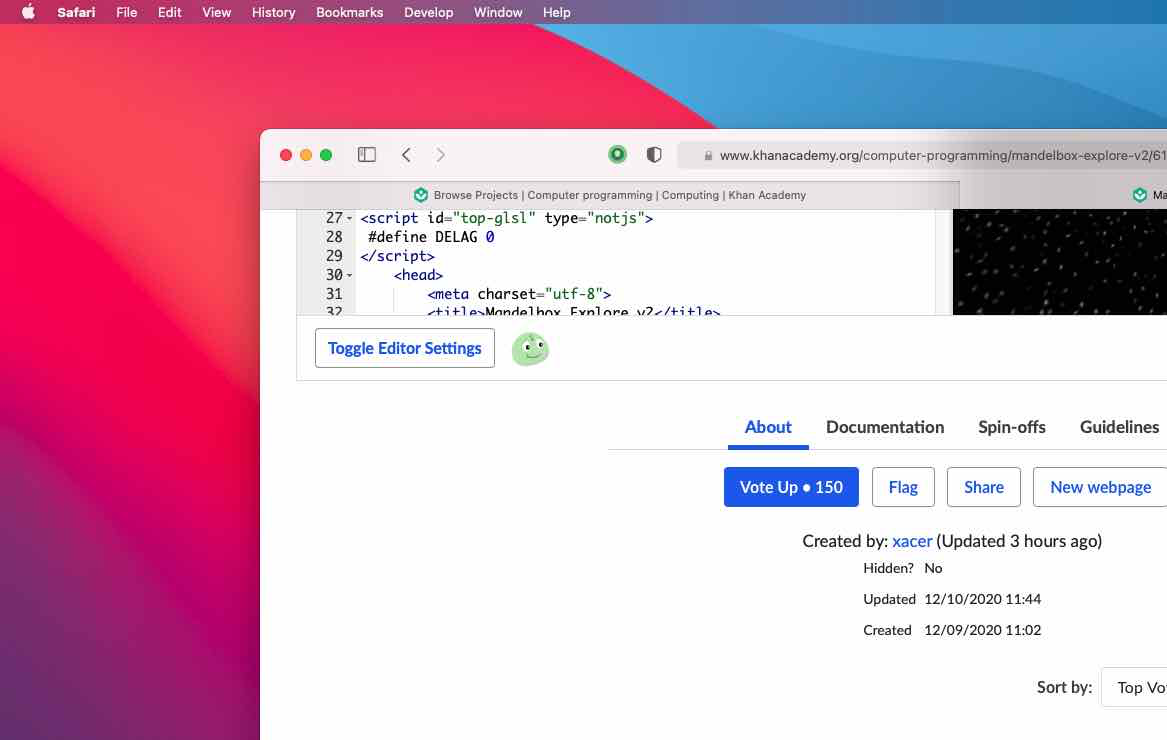
This was super easy to do because of Safari's support for WebEx and the `xcrun safari-web-extension-converter` tool. Unfortunately, signing and distributing a Safari extension is still $100/year. Also, Safair runs *super* slowly with it installed, although I'm not sure why.
My solution for AoC day 7 part 1: #tw Javascript
Definitely a trickier one. At this rate, we'll be doing machine learning by the end of the month.
```js
const input = document.body.textContent;
const bagTypes = {};
for (let line of input.split("\n").filter(l => l.length)) {
let [_, color] = /^([a-z ]+?) bags/.exec(line);
const bag = {color, canContain: []};
for (let canContain of line.matchAll(/(\d+) ([a-z ]+) bags?[,.](?: |$)/g)) {
let [_, count, subColor] = canContain;
bag.canContain.push({count, color: subColor});
}
bagTypes[color] = bag;
}
function canHoldGold(bag) {
for (let content of bag.canContain) {
if (content.color === "shiny gold") {
// Then we can, base case
return true;
}
//Otherwise, we need to check if any of this bag's sub-bags can
if (canHoldGold(bagTypes[content.color])) {
return true;
}
}
//If none of them can,
return false;
}
console.log("Part 1: ", Object.keys(bagTypes).filter(bagType => canHoldGold(bagTypes[bagType])).length)
function countSubBags(bag) {
let total = 0;
for (let canContain of bag.canContain) {
total += parseInt(canContain.count, 10);
//Plus all the bags those have to contain.
total += parseInt(canContain.count, 10) * countSubBags(bagTypes[canContain.color]);
}
return total;
}
console.log("Part 2: ", countSubBags(bagTypes["shiny gold"]));
```
The more I think about it, the more I become convinced that the human brain's conception of time is not universal.
I realize that my plans of dedicating my life to streaming Cyberpunk 2077 are problematic for a couple of reasons:
I don't own Cyberpunk 2077
Cyberpunk 2077 isn't publicly available
I don't know if I own hardware that is capable of running Cyberpunk 2077
However!
I do own Minecraft, so I for the time being I will be dedicating my life to playing that.
I am living in a reality
separate from the reality experienced by mostpeople. One of my hopes, is that sometimes, I can bring some people into my reality
Okay so Gaud wrote a Tony the Tiger x Grinch fanfic, and while I can handle that it exists, I hate that it is good. Like quality writing.
Better than some books that I’ve read.
https://biggest-gaudiest-patronuses.tumblr.com/post/636714357200470016/biggest-gaudiest-patronuses
You have to be gentle with things that are delicate.
Sorry for spamming here I need a mental outlet right now. Post button goes post post post
I want to be crushed.
"But people who have been flattened by the earth still live."
We cannot start over.
Thinking about buying Cyberpunk and wasting the entire rest of my life playing it. Just 70 hours a week for the next 20 years.
"u have no idea how much i would love to default to Linux...
1) i cant use any of the major antivirus software on linux."
It's such a bummer to me that Tom Scott deleted his "meme-based, gamer-adjacent culture" thread. It would have been such a good copypasta
Tom had the awareness to delete it like 2 hours after it was posted, before it became a meme. He evidently has some sense, but also, how do you post that in the first place? Maybe he was super specifically talking about the "gamersriseup" culture, but it would have behooved him to specify that, rather than tossing all "memes about video games" under the bus.
https://knowyourmeme.com/memes/tom-scott-i-am-at-x
The problem with adults is that they’re scared of falling down.
Children possess the ability to embrace the ground.
OurJSEditor logs record access from the User Agent "Windows NT 6.1; WOW64; Trident/7.0" I'm scared.
The world is divided into 2 types of people. "Folx" and "cismen"
I cannot describe how seriously and in how formal of a context, the "folx" vs. "cismen" distinction is being made.
I give the collapse of society another generation.
Maybe 2.
In particular, what I'm predicting is a dramatic crash in the amount of work humans are doing. I have the distinct impression that human beings are doing more work than we need to be. That 20-30% of man-hours that are payed to be worked are superfluous to human existence.
For example, systems that are upgraded because they need to upgraded because they need to be the upgraded version. Not because the old version is bad. I'm not hating on this. I have a job that feels like this and I get paid and I go home happy.
I don't know what form this will take. It's fundamentally a cultural issue.
It may become culturally acceptable to work 32 hours a week instead of 40, or go to school until you're 16 and take a couple years off until you start working at 20. Or jobs could become significantly easier. Or unemployment, the amount of people living off their parents, could increase to 20%. Or we could have a full-on socialist revolution, who knows.
Unfortunately, my data is wildly American-centric. This may only happen in America and not globally.
The question "why haven't robots taken our jobs yet" is a hard one to answer. It's an incredibly weird and loaded question, and I'll need to re-examine it in the future.

I'm binge watching boating vlogs in preparation for when I leave society and live in a boat in international waters alone.
"The moderation structure and policies are not intended to be an example of an anarchist society; an internet forum is not a society."
"Conversations about moderation, rules, bans, and other meta topics take place in /r/metanarchism (message the mods to get in)."
When the anarchism subreddit has a separate, private, subreddit for discussions of their authority system.
‘The Lord generously gave his grace to me, along with the faith and love that are in Christ Jesus.’ 1 Timothy 1:14
I made brownies, and they're much thinner than I would like. But they taste super good, so I feel like eating 25 square inches of brownie.
It’s weird to realize that 3Blue1Brown’s Linear Series barely scratches the surface of the concepts in Linear Algebra.
Bad website ideas with Matthias:
A website like Youtube, except the only videos are ones linked to by https://tiltlhat.tumblr.com
I think people's desire for fame and their desire for rights or fair treatment, stem from a common desire, that of respect or dignity.