Thoughts
I Gorilla glued like 3 things today, it was pretty cool. I haven't every really super-glued anything before.
So I posted a question on HN about Python vs Ruby and all these people get in the comments telling me that Python is more readable.
And like. You’re just wrong.
Flatten a list, Ruby, `l.flatten`, Python, `[item for sublist in l for item in sublist]`. I did the “next Sunday” example the other day: https://thoughts.learnerpages.com/?show=31641f17-35a2-4fb6-b1e6-fafe01723a81
They don’t mean “more readable” they mean ‘easier to understand what’s going on because it has fewer features and is less powerful.’ Which is a weird argument to make because it’s difficult to understand Ruby only in contrast to other languages. Like someone used optional parens on function calls as an example of something that was confusing, but I don’t think a new-programmer would be confused by that. I think they would go “oh it’s optional.” I think the people confused by that are people who have written other languages where there’s a difference between `.foo` and `.foo()`.
Like it honestly doesn’t bother me because these people clearly just don’t understand Ruby at all. Like this guy was like, ‘Ruby doesn’t have any features Python doesn’t.’ And I can’t write 50 lines of Ruby without calling a function by symbol, which I straight up don’t think you can do in Python.
It’s the whole culturally gay vs. literally gay thing that has led to so much confusion. Liberals don’t want to make this distinction
because it can be seen as gatekeeping on one hand and on the other hand is not what they’re arguing for. e.g. Tim Cook. Woohoo.
Rather long but interesting article about how children are being taught to be bad readers.
A linear bounded automata has finite memory; finite states, and so it's possible to check every state and see if it halts in finite time.
White space haters are insane to me. You get these people online, on HN or where ever, who complain about white-space on websites. I think
they're on desktop computers without good scroll wheels. Or maybe small or low-dpi screens. Because in the age of digital media there's no reason to complain about "wasted space."
I hate the argument that ‘you shouldn’t call it AI because it’s not really intelligent’ because you’re right, it’s not really intelligent.
It’s a computer program imitating human intelligence. We should put some sort of signifier in front of the word “intelligence” to make that clear.
Like “artificial.”
What do you want it to be called. “Not-real intelligence?”
I hate the argument that ‘you shouldn’t call it AI because it’s not really intelligent’ because you’re right, it’s not really intelligent.
It’s a computer program imitating human intelligence. We should put some sort of signifier in front of the word “intelligence” to make that clear.
Like “artificial.”
What do you want it to be called. “Not-real intelligence?”
Here's a hot take. Well IDK, maybe it's not. The list of symptoms for ADHD and autism is so long and has so much overlap that I suspect that
those labels are entirely incorrect.
I use the "Soli Deo gloria" moniker as a way of ensuring that I'm pointing to God, but it's almost childish (and not in a good way) to
assume that I could deserve any glory.
I'm definitely not referring to Twitter as X until the domain name changes, and even then, I might not.
Tumblr (the platform, not the users) never ceases to amaze me. They’ve added a “Luffy” tab. It has five posts of Lufffy, who is
apparently a character from One Piece.
“Following” “Luffy” “For you” “Your Tags”
I try to make this website weird and it’s not even close.
I wonder if younger people are more frugal because they use cash loss. There’s something about having cash in your hand that makes you wantI
wonder if younger people are more frugal because we use cash loss. There’s something about having cash in your hand that makes you watch rid of that rid of
Shoveling Altoids tins into a suitcase: I am not a hoarder. I am not hoarder. I am not a hoarder.
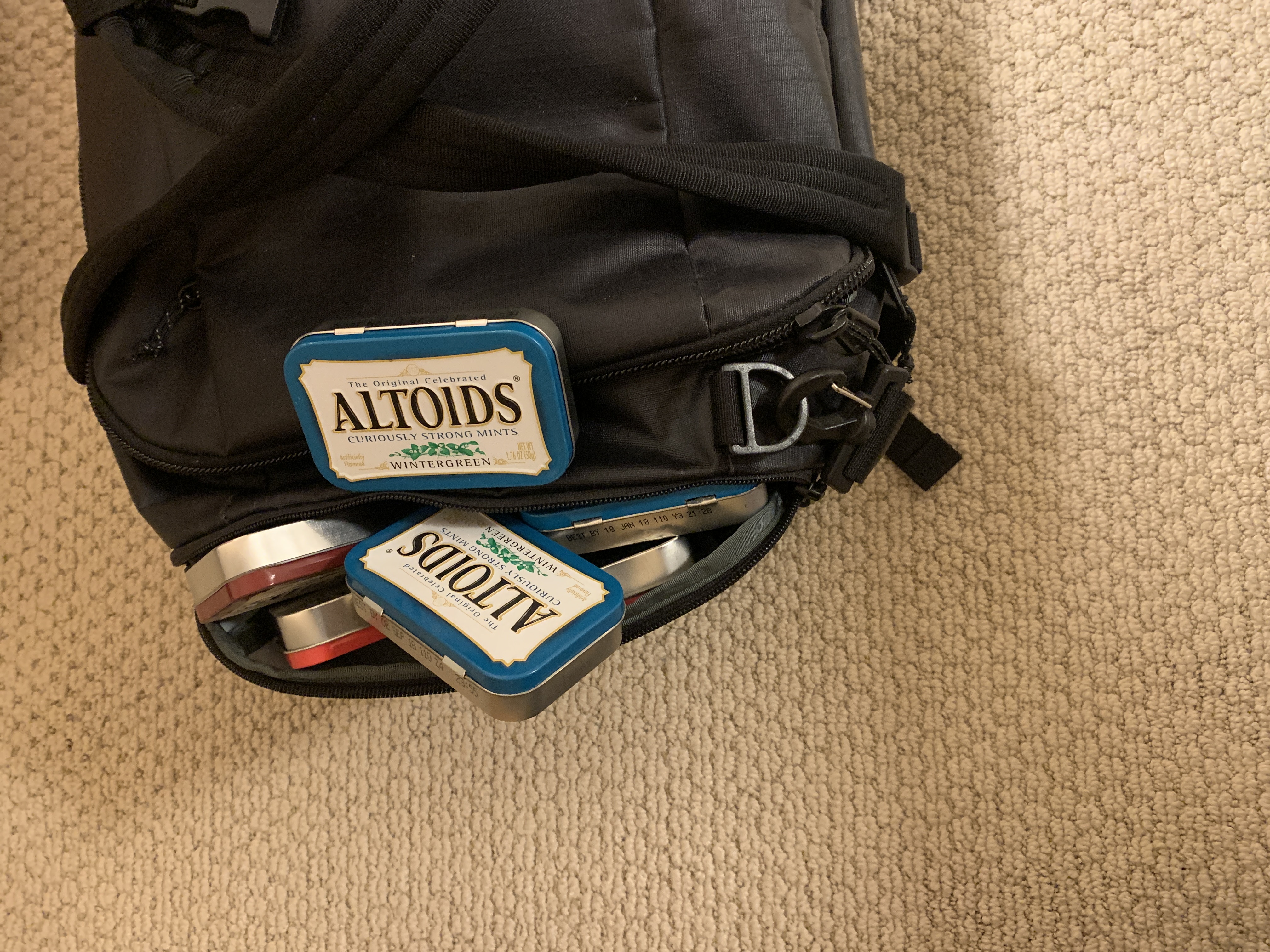
The year is 2080. You find me dead, buried under the weight of the Altoids tins I have been collecting all my life.
Lowes and Home Depot both offer “small” moving boxes that are the exact same price and size. Is there a term for this?
I think *eventually* the future of web-apps will be Google Docs style. All logic is processed on the client, but updates are sent
*immediately* to the server. The client has a copy of state that it uses to render. Updates effect the client's local state instantly and re-render instantly; the client is the source of truth for logic. But all state changes are also broadcast to the server, and the server has a copy of the state that is authoritative, and lags the visual logic display by just a few hundred milliseconds.
The problem with webapp design is that you have a few hundred millisecond delay between the server and the client. The question is where do you put that. The problem with Hotwire or Htmx is that it puts the 100ms delay in-between the action and the visual update. The problem with all-in on React or all-in on server-side updates (old-school forms, ASP.Net) is that it's easy to lose state (i.e. refreshing the page), because those updates are "chunked" and sent infrequently.
Edit: Feb 16, for search, I've started calling this LFSA
Tao estimates Sam’s net worth at 6mil. I think he’s low by a couple orders of magnitude. It’s very hard to estimate because we don’t know
a) Dropout’s profit margin. I have no idea what’s industry standard for TV. And it’s possible Dropout’s audience still isn’t large enough to be sustainable.
b) what percent of Dropout Sam owns (it’s very common, even in situations like this where Sam is “the owner” for his friends, family, or private investment firms to own up to 49% of the company)
c) Sam’s net worth minus Dropout
Edit 2023-11-20 for future reference: Dropout subscriber count is "mid-hundreds of thousands," and about $5 / mo.
Ruby on Rails:
`Date.today.next_occurring :sunday`
Python:
today = datetime.date.today()
today + datetime.timedelta(days=(6 - today.weekday()))
Here's a hot take. Gender roles are bad because they are frequently used to exclude and shame. That is true. But. In our desire to avoid
gender roles and to empower individuals, we've idealized **independence** to a degree far far greater than what is healthy. Humans weren't meant to survive alone. A perfect world is not one where everyone knows how to cook for themselves.
We criticize "willful ignorance" when one partner allows the other to whole manage some affair, but there's a lot of trust that's implicit in that. I want to be in the type of relationship where there are things that I don't have to worry about or think about because I can trust that my partner is taking care of it. And in general, yes, learning things is good, knowing how things work is good, being able to do things yourself is good. But there are a lot of people that learn how to do things in order to survive alone because they either have to, or because they don't trust their partner.
I can't come up with any examples so maybe that should tell you something.
The message of The Great Divorce is that the most insidious sins are not murder, rape, cruelty. Those can be forgiven. The most insidious
sins are those that prevent you from asking for forgiveness. Pride, pettiness, spite, scorn.
"And now, dear brothers and sisters, one final thing. Fix your thoughts on what is true, and honorable, and right, and pure, and lovely, and
admirable. Think about things that are excellent and worthy of praise."
"But someone must say in general what's been unsaid among you for many a year: that love, as mortals understand the word, isn't enough."
"There is but one good; that is God."
There's a difference between being polite as an act of kindness toward other people, and being polite so that other people like you.
Sometimes, when it's quiet and I stop thinking, I hear voices that sound like radio commercials. It's because I'm listening to Pandora.
The idea of TDD is absurd to me because it implies that the source of truth for correctness of the app is the test, and not, say, the user.
I need Apple to release a phone without a charging port so badly. I need it to happen. I thought it would happen 5 years ago.
Knowledge is a post-scarcity resource and the government has declared a monopoly on distribution rights in order to ensure people get paid.
I want everyone else to be chill and easy going, and then I can be stressed about things. Because other people get stressed about things
that don’t matter but I get stressed about things that do matter.
I think that the American ideal of individuality and independence have done enormous harm to modern American society. In "Emma" the
characters take their apples to the bakery so that the baker can bake them. The fact that you can survive for weeks without leaving your apartment is the greatest "success" of capitalism.
I think the discourse around Harry Potter a year or so ago legitimately might have set back our ability to critically discuss problematic
material by several decades.
It’s hard because I am going to disagree with you. My brain is just screwed up such that I am brutally analytical and as you’re talking I
will dissect the parts that are true from the parts that aren’t and put throw the parts that aren’t away. There are sentiments on both side of the political isle that I agree with. And moreover my lifestyle and my culture contains some of the things that you’re attacking. I like eating at In-N-Out and Chick-Fil-A and driving a car. I don’t know. The internet just loves being reductive.
Well and I love taking the internet too seriously. I’ll never forget the person boycotting every single BBC show. Like great.
Anyways, this Thought is about School House Rock, the fun series of videos for kids introducing basic math, politics, and history. And apparently also right wing propaganda.
Like “Cancel Culture” is a meme because the left feels the need to criticize and point out every thing that is associated with conservatives. And like. Yeah. Half the companies are going to be owned by conservatives because half the population is conservative.
And I guess I need to cope because people online are going to keep saying things and it shouldn’t bother me. But I wish that the people online would instead cope with the fact that things exist that aren’t perfect.
Why are third and third the same word, but half and second and quarter and fourth are different words.
The answer is because quarter is a bonus word, fourth and quarter are synonyms. And second is just weird.
This is going to come out about half as coherent as it should but whatever. The liberals should get the government to give everyone cars
instead of taking other people’s cars. Like hate the problem not the thing that’s causing the problem. Because chesterton’s fence style you often can’t get rid of the thing causing the problem. It’s often important. But even people who love the thing causing the problem are in favor of fixing the problems with the thing causing the problems. It’s the same thing as work from home. You don’t hate working in the office, you hate these problems that come from working in the office. Let’s fix those problems or make me aware of those problems instead of trying to convince me that working in the office itself is bad.
XKCD is so well done. Contrast these two comics:
=> https://xkcd.com/1142/
=> https://xkcd.com/1553/
They're both super simple. One line setup, one punchline. One of them is one panel with an inset panel in order to create a super quick and abrupt and transition from setup to punchline. The other has two panels devoid of any action or dialogue in order to slow you down and build suspense. It's possible I'm giving Munroe too much credit but I feel like a lesser comic artist would have just made both of these 2 panel comics.
Two muffins are in an oven. One turns to the other and goes, “man! it sure is hot in here.”
The other says, “AHHh! A talking muffin!”
When I was a kid I was given this nickel collection—a collection of historical US nickels. I was too young to appreciate it really*. But the
problem is that it was supposed to have 12 nickels in it and when I opened it up it only had 8. 4 of the nickels were just missing from their slots. I didn't do anything about it because what was I going to do. I wasn't going to complain about being given 8 nickels instead of 12. But looking at it now it's really weird. Like how badly does your quality control fail if 1/3 of the product just isn't there. Anyways looks like the company went out of business. If you want a 2004 colorized nickel let me know.
*I enjoyed having and counting coins when I was a kid, so this gift actually had some level of thought put into it. But like. There's nothing to do with it other than put it on a shelf.
Conspiracy theory: conservatives are attacking explicit material in schools and libraries not to regulate the explicit materials, but in
order to regulate the schools and libraries.
The Count is like Bart from the Dirk Gently TV show. She's insane but also justified. The Count is right but like.
The Count of Monte Cristo lives in a society where dueling is legal and common. Literally killing someone in single combat is seen as an
acceptable way of solving problems. And The Count goes, 'this is unfair. Killing them isn't enough. I should be able to destroy everything that they care about.'
Malicious site that salts and hashes all user passwords, but saves and stores incorrect passwords.
Is it possible to ADHD and be introverted? The stereotypical ADHD patient is very extroverted, and I am not.
Count of Monte Cristo adaptation where every time the Count walks into a room with one of the people who framed him, The Count
imagines himself violently murdering the person.
People are trying to apply Occam's razor to LK-99 to argue that it's clearly a superconductor. But if you look at the base rates, it's more
likely that there are multiple systematic experimental failures than that it's actually a superconductor.
The R-studio R-markdown editor is one of the best LaTeX editors, and markdown editors. Its support for R code seems almost incidental.
One of the things that I love about The Count of Monte Cristo is that it works almost entirely in negative space. It is so so rare that The
Count is "on-screen" described as doing something. Even as the reader, you don't see The Count alone, you don't see him make plans, you rarely see him execute on them. The whole book is written in this super distant third person. "A man" or "a priest" will do something and you have to guess that this is actually The Count every time. Because it's not The Count; The Count is a persona created by Dante and Dante is a dead shell of a man. And so he can be anyone and Dumas doesn't have to introduce him every time.
"For this reason Christ is the mediator of a new covenant, that those who are called may receive the promised eternal inheritance—now that
he has died as a ransom to set them free from the sins committed under the first covenant."
Today in “HN users unfairly criticize Discord”:
> Considering the horrific epidemic of sexual abuse being abetted and covered up in the workplace, is it really too difficult to imagine malicious actors at Discord (or any other technology company) illegitimately accessing the data of their business' users and using it for stalking or other nefarious purposes?
“Costa Mesa” sounds like it came out of a California City Name Generator. Has anyone been to Costa Mesa‽
I am Matthias. I am like the hollow shell of a person. The poets are still in the library of Babel.
3 part challenge in functional react
=> https://thoughts.learnerpages.com?show=c951e379-3cc4-4c86-a544-dd7bc8b5a770
```js
import { html, render, useState } from 'https://unpkg.com/htm/preact/standalone.module.js'
const ThreePartChallenge = () => {
const [inputValue, setInputValue] = useState("");
const [spanValue, setSpanValue] = useState("");
return html`
<div>
<textarea onInput=${e => setInputValue(e.target.value)}>${inputValue}</textarea>
<button onClick=${() => setSpanValue(inputValue)}>Move</button>
<span id="target">${spanValue}</span>
</div>
`;
};
render(html`<${ThreePartChallenge} />`, document.body);
```
Thinking about UBI. While previously I've been experimentally in-favor, I think it could potentially do a lot of harm by putting a wedge
between the people relying on only UBI and those working. The pitch for UBI is that you don't have to work more than you want to essentially, but I think we would see social classes emerge and companies would be unwilling to hire someone who hadn't been working and had been relying on UBI for the last year. Obviously this would still be an improvement in quality of life for a lot of people, but it potentially would pull some people down. For example, someone who was earning just a little more than UBI by working pre-UBI, probably decides it's not worth working at all once UBI is implemented. This person then, in five years, decides they want to start working again in order to save to improve their kid's education. But they can't get a job because, to an employer, they look identical to someone who has had a drug addiction and has been unable to work for the past five years.
Anyways.
It probably wouldn't be an issue because UBI would likely be low enough that no one would want to not-work for 5 years. Additionally, you would get rid of minimum wage (or half it or whatever), and that would have some effect on what entry-level jobs looked like.
Transcript
This is the poetry of a broken generation. Of a generation that is as broken as any that came before it, and yet feels the pain of brokenness just as strongly as any others.
I don’t care that your milkshake is “better.” This milkshake is 2.85, has a Bible verse on the bottom, and tastes like coming home after a
vacation and going through the drive-through on the way back from the airport.
People from outside CA will be like "In-N-Out burger isn't that good."
You don't get it. It's a part of my culture.
It's about the experience.
It's a bit of a stretch, but I want to call, for example, "Your favorite sidekick," underscores, breakcore.
If you grade on a curve, accounting for being filmed over Zoom, I think The Scorekeeper might be the best Game Changer episode.
Help screw it I need to get some stuff out of my head. It feels good to sit here.
I need to do some art, perhaps, to decrease the mental correlation between thinking and work. Perhaps.
Okay. So
or between work and pain.
Okay.
So.
Okay.
So.
What do we have?
I don’t know.
I don’t care.
Is that a mistake?
WolframAlpha my beloved.
ChatGPT is an affront to the natural order of things. Typing your question in natural language in to WolframAlpha like God intended.
I'm going to invent a programming language and if you don't provide examples in your documentation it's going to be a syntax error.
I really don't like the term hash / HashMap / HashTable because "hash" is an implementation detail. I could implement a "HashMap" with
identical behavior and an identical public API that doesn't use hashes. So to the user (the person writing code with the object) it's a key-value store. Call it KeyValueStore or Dictionary or Map.
I guess Java is consistent about this. HashMap implements Map and LinkedList implements List.
Marketers underestimate things like how often signed-up users view the version of the home page which is designed for signed-out users.

Somehow I realized like last week that LBGTQ+ people have a culture and they are concerned about protecting that culture, not just about
protecting individual rights.
Oh my word. The fricking Utopia map was an Um Actually question and I didn't get it. I'm a fake Utopia fan
I could never become a pastor because you have to learn Greek and Hebrew. I gave up on learning toki pona
"Saw Lighting" - Beck goes so hard that I'm always surprised by the religious bridge.
"Lord, won't you take me, and leave me in the light?"
I feel like I'm pretty good with a mouse but I'm below average on
=> https://humanbenchmark.com/tests/aim
(500-550ms)
I'm only like 50ms slower with a trackpad, which I think is pretty impressive. IDK
My church has rebranded from a beautiful grayish-blue to like mauve.
It's not even like a pinkish mauve, it's like a brownish mauve.
GPT-style LLM’s represent a step forward in that previous generations of AI could only regurgitate. Current AI can pattern-match. But it
still can’t problem solve.
This is fundamentally a social problem, not a technological one. It's going to get messy.
There's a huge moral gray area here, and I fundamentally disagree with RMS on where we should re-draw the lines. We have goals like "privacy" and "security" and "control" but we need actionable rules and guidelines.
"Anyhow"
(But specifically the "anyhow" from ~1:31 of "When it Lands" by Rainbow Kitten Surprise.)
Ruby programmers should not be allowed to write regular expressions. I don't know what it is, but there's a correlation between bad
regular expressions and Ruby development.
It’s important to understand that individual people are still very vulnerable to targeting symptoms and not causes.
The interesting thing about Squidward is that he’s a very boring, 2D character. But it’s up to interpretation whether that’s his own fault.
I think if I taught git I would teach "advanced" features like merge and rebase before teaching branches. Merging and rebase make more sense
when you think of them as acting on commits, not on branches.
Ladybird renders matthiasportzel.com very well. Not as well as a version of Safari from 6 years ago, mind you.
Did some typing tests on monkeytype. I seem to be around 70-80wpm (~97% accuracy).
Once you throw in punctuation I go down to like 65, it's kind of bad. I have a habit of typing a word, hitting space, and then hitting backspace period, instead of just typing the period. I also backspace a ton. It's annoying to recognize. Also my spelling is bad of course.
Looking at my cheekbones makes me feel nauseous, is that normal? (Not in a mirror, like looking down.)
On second thought, I kind of feel nauseous looking straight ahead. brb
My favorite part of "Info: An Introduction" is when instead of saying, "press space to scroll down and delete to scroll up" it says:
> The SPC, BACKSPACE (or DEL) and b commands exist to allow you to “move around” in a node that does not all fit on the screen at once. SPC moves forward, to show what was below the bottom of the screen. DEL or BACKSPACE moves backward, to show what was above the top of the screen (there is not anything above the top until you have typed some spaces).
> >> Now try typing a SPC (afterward, type a BACKSPACE to
return here).
> When you type the SPC, the two lines that were at the bottom of the screen appear at the top, followed by more lines. DEL or BACKSPACE takes the two lines from the top and moves them to the bottom, usually, but if there are not a full screen’s worth of lines above them they may not make it all the way to the bottom.
Apple including audio descriptions in their ads. Doing work for accessibility.
(In the description of recent ads posted to Youtube, Apple has included a link to a version of that ad which includes spoken descriptions of the scenes for people with visual impairment.)
Trying to decide whether to exit Apple. I have a bad feeling because their stock price is at an all-time high, and this is not the best I've
ever felt about the company. But at the same time, all the reasons that I say not to bet against Apple still hold true.
The problem with nitpicking different Bible translations is that there are different versions of the same translation. NIV had a major
revision in 2011.
> Are not two sparrows sold for a penny? Yet not one of them will fall to the ground outside your Father’s care.
-Matthew 10:29 2011 NIV
> Are not two sparrows sold for a penny? Yet not one of them will fall to the ground apart from the will of your Father.
-Matthew 10:29, 1984 NIV
Trying to figure out if I'm allowed to talk about movies during the strike.
I think I can. I think the actors are not allowed to. (That is, union members aren't supposed to do promotion, even unpaid promotion, for media that is being struck.) And I'm of course not allowed to do paid promotion for struck media. (Doing so would be crossing the picket line and I'd be barred for life from joining the actors union.) But I think as a non-union member I'm allowed to do unpaid promotion for struck media.
I hate being told what to do.
Ooh there's a mandated reporting clause in here. If you're a union member you're obligated to report anyone breaking the strike.
I'm not sure. I suspect that per user costs don't decrease as users increase, for a certain class of online services.
Now, before we begin, I would like you to pause this lesson and go get an apron. If you have an apron in your house, I would like you to go
put it on and then come back. Now you might ask, "Matthias, I thought this was a programming tutorial. Why do I need an apron?" Well, this is a programming tutorial. But when many people approach computers, they're afraid to get their hands dirty. They expect to poke at the computer with tweezers and observe the results under a microscope. We're going to get our hands dirty, and I don't want you to be afraid.
I was crazy once. They locked me in a room. A rubber room. A rubber room with rats. And rats make me crazy. Crazy. I was crazy once.
I love that Cloudflare has a DDoS hotline.
I love that Ao3 just rolled out Cloudflare after being DDoS'd.
Cohost user arguing that queer people are better able to identify problems in complex systems.
“queer folks tend to be able to break out of simplistic, ‘this is how things are’ viewpoints, for obvious reasons”
I think, if I were to make his argument for him, I would phrase it as “queer people are more likely to examine, question, and reject the status quo, since they have already done that in questioning their own gender or sexual orientation.” The problem here is that he’s not arguing that they’re going to “reject the status quo,” he’s arguing that they possess “a specific kind of intelligence that…is closely related to problem-solving.”
I’m not replying on cohost because the rebuttal to me is trivial: you just claim that I don’t have any of this special type of intelligence and I don’t get it. And you’re right, I don’t get it.
“In short, our gentleman became so immersed in his reading that he spent whole nights from sundown to sunup and his days from dawn to dusk
in poring over his books, until, finally, from so little sleeping and so much reading, his brain dried up and he went completely out of his mind. He filled his imagination with everything he had read, with enchantments, knightly encounters, battles, challenges, wounds, with tales of love and its torments, and all sorts of impossible things, and as a result had come to believe that all these fictitious happenings were true; they were more real to him than anything else in the world.”
-Don Quixote
“You cannot qualify war in harsher terms than I will. War is cruelty, and you cannot refine it”
-William Sherman
Sherman was one of the first people in modern times to employ “total war.” He stole supplies, burned homes, and had approximately zero respect for the people he was attacking. The quote continues, “those who brought war into our Country deserve all the curses and maledictions a people can pour out.”
Sherman said “war is hell,” but he made war hell. He thought they deserved hell.
I agree with Sherman that you can’t refine the cruelty of war.
I have a suspicion that numbers and manpower matter significantly less than most people believe.
I don't think this post is any good but it's an interesting idea
Tossing and turning
Unable to settle down
Unable to fall asleep
My eyes are closed
They don't see anything
Six feet underground
Dead and buried already
But I can't settle down
I can't rest
I’ve decided being pluralphobic is a mistake. The best way to ensure that plural people don’t destabilize democracy is not taking them
seriously. Further, I’ve decided I’m actually a member of a plural system. There aren’t any other members of this plural system, but that doesn’t invalidate my pluralness.
"I know they got pills that can help you forget it, they bottle it, call it medicine, but I don't need drugs! Cause I'm already high enough"
I don't know if there's a reason why Apple is advertising Apple Vision Pro for indoor use. I would love to sit outside and work more often,
but sun glare on LCDs is a major inhibiting factor. I also don't have a desk outside, but that could be solved by putting a desk outside. Anyway, if I could sit in a tree wearing Apple Vision Pro and write, I think I would. (Obviously, the one of the major hurdle's is Apple Vision Pro's 1 hour battery life.) ("Apple Vision Pro" is waaay too long by the way.)
Going insane. Fricking insane. RIP.
Has anyone but the queen ever died.
My mind is a yellow billboard.
"The lack of feedback stems from the outdated decision to only show content from followed blogs on the main dashboard feed ('Following')"
-Tumblr Staff
crying.
I might need to buy Cohost Plus, please.
Computers that are bigger than us just have never been successful. We’ve been able to do a ton with computers that are smaller than us.
Just watched three ads for different get-rick-quick schemes and I left youtube and re-activated my dropout subscription.
Trump attracted a lot of people that were socially liberal when he first ran, but since then the republican party has doubled and tripled
down on socially conservative policies.
Artist triple: The Score, Måneskin, grandson?
I hesitate because The Score is really more similar to Zayde Wolf or OneRepublic, more pop-y. Mmm, maybe you put The Kooks in with Måneskin and grandson.
Originally posted as a reply to
https://news.ycombinator.com/item?id=36620450
Just yesterday I was thinking about Ladybird, and I claimed that it was a fool’s errand, for reasons I’ll explain in a bit. What I didn’t know is if Kling recognized what he was doing, and was just not taking it very seriously, or if he was way over his head and was kind of oblivious.
I enjoyed reading this interview because it makes it very clear that Kling has a lot of experience doing this, and understands that’s it’s difficult, and is doing it because he enjoys it.
The reason I don’t think Ladybird will ever really get to the point where it can render an arbitrary site perfectly, is based on my experience as a web developer. I haven’t been doing web development for very long, but there have been a couple times in the last couple of years where I’ve stumbled upon browser layout bugs where Chrome/Firefox/Safari render something different. These are normally not issues where a browser completely misses something (ie, every browser supports flexbox these days). Rather, there are edge-case bugs that appear just by combining simple web components in simple ways. Chrome and Firefox handle a table with percentage height differently. Or a margin on a child which is larger than the parent’s width. And these are bugs that have existed for years. And for every edge-case like that where Chrome and Firefox differ, there are 10 more where the behavior is unintuitive or not defined by the spec but Firefox and Chrome have standardized.
But maybe, since Ladybird doesn’t have an existing buggy implementation, they’ll be able to implement the spec properly quickly the first time. I think that’s an interesting perspective that Kling brings up in this interview.
The other thing I want to comment on is that it’s really hard to tell how much progress they’re making.
> We've taken a very vertical slice approach to adding functionality to the browser… We tend to find a webpage that we want to improve for whatever reason. Maybe it's cool to get the New York Times to render, and then we just spend a bunch of time fixing as many issues as we can for that site… And that might not be the most structured approach to it, but it has been very, very good at keeping people motivated and excited and engaged in the work
This means that Ladybird “supports” a ton of features. They support flexbox! They support grid! But pretty much all of these features are only partial implementations. Kling says in the interview they support svg, and then later explains that they’re going to have to re-write the text-rendering system to get text-on-curves working. Well, to me, “supports svg” means “we have implemented the entire svg specification.” When Kling is using it to mean “we have some portion of svg’s work. We don’t crash when we see an svg element.” I’m not saying Kling’s definition is wrong, but it’s another factor that makes it difficult to judge where the project is.
To start to wrap up this (long) comment, let me restate the four claims I’m making. (This is not the conclusion, this is the summary before the conclusion, hang on.)
\* Ladybird is developed differently in two ways: vertical slices, and being implemented from scratch in modern times.
\* there are people who are misled by the vertical-slices and Kling’s use of “support” to believe that Ladybird development is a lot farther along than it is.
\* There are people like me who think that Ladybird will never complete with existing browser engines (we also have a hard time judging Ladybird’s progress for the reasons stated above).
\* These same reasons may allow Ladybird to reach compatibility with other browsers.
I have a lot of respect for Kling, and I think it’s cool that they’ve been able to accomplish so much “for the fun of it”. As mentioned in the interview, this will have short-term positive impact even if it never matches Chrome. If it wasn’t clear from how long this was, I’m actually really enthusiastic about the project, and I’ll be looking at ways to contribute in the future.
Calling a functions always copies the input data. If you want to mutate an object, you need a method.
I just spent literally 30 minutes looking for this HN comment because it is so phenomenally dumb.
Discussing Discord, HN commenter says:
> Their search makes me want to pull my hair out.
> Why can't I just search the history with grep? That's a feature I would pay for (if anyone at Discord is reading this and wants my $10/month)
Reply from a member of the Discord engineering team:
> Because it would be obscenely expensive (in terms of computational resources) to search history via grep. Hence why we use an inverted index.
This Discord engineer understands indexed search. This HN commenter is proposing O(n) time search.
Random HN user:
> This is megabytes (at most) of text we're talking about, not gigabytes. And ripgrep is absurdly fast. Grepping a 5MB text file should be pretty much instantaneous.
Discord engineer:
> Do you know of any service that is running at scale out there that stores their data as 5mb plain text files?
Random HN user:
> The “text files” don’t have to be the primary backing store - merely a derived cache file that can be periodically refreshed with new content. It doesn’t have to be text either - SQLite is pretty structured if you need more features in a minimal container too.
At this point the Discord engineer stops replying.
For context. In 2017 when Discord added search they did an engineering blog post about it:
=> https://discord.com/blog/how-discord-indexes-billions-of-messages
At the time, their search infrastructure was:
> 14 [ElasticSearch] nodes across 2 clusters, using the n1-standard-8 instance type on GCP with 1TB of Provisioned SSD each. The total document volume is almost 26 billion.
Discord's userbase has increased drastically in the 6 years between that article and this HN thread. This user was serious explaining. To a Discord engineer. How they could use PLAIN TEXT FILES. and O(N) SEARCHING. on literally TRILLIONS of messages.
=> https://discord.com/blog/how-discord-stores-trillions-of-messages
So when they say 5MB text file obviously they're assuming some pre-division/indexing on server, maybe. So how many files is that. From the link above, Discord's primary (not-search) DB has 72 ScyllaDB nodes each configured with 9TB of disk space, but I suspect that's more than the index. Somewhere between 14TB and around 300 TB. Maybe 200TB. So you end up with 40 million 5MB text files. Sure. Why not. Well because the biggest servers are going to have WAY more messages than smaller servers. So would have to spend years of engineering effort to build some sort of index over these text files in order to know what text file you're searching and keep your run time from becoming O(n). Which is what kills me. It's not literally impossible to store messages in plain text files and search them with grep. This commenter is clearly an engineer trying to problem-solve. They're just also an idiot.
What I may try to do is pull up the features tested in Acid 3 and see if LadyBird’s implementation of them is spec-compliant, or if they
shimmed them so the test would pass.
I have a lot of respect for Serenity OS, but I think LadyBird is a fool’s endeavor. Kling tweeted that he’s been asking ChatGPT for help
with understanding CSS layout, so he’s no web expert, and moreover he’s not working at the level of detail of the spec. I have nothing against ChatGPT for basic programming questions, but you’re not going to end up with a spec compliant web browser without reading the spec.
I think Serenity works because you can move quickly and build something new and functional without worrying too much about compatibility or tech debt. But with the web, that tech debt is standardized and impossible to remove.
The equivalent to creating a new operating system is not creating a new browser. It’s creating a new web-level specification. Creating a new browser is like trying to create, from scratch, an operating system that can run modified binaries which have been compiled and statically linked for Linux.
Dreams aren’t supposed to be realistic
I’ve seen a lot of people my age, both my friends and strangers, comment on how they are now adults, they no longer have the dreams or the life plans that they had when they were kids.
When you’re a kid, it’s common to imagine you can be an astronaut or a professional athlete, or a scientist who cures cancer, or an action hero who saves the world. And the, rather cynical, view of many adults is that either these kids are too naive to realize that their dreams are unrealistic, or that maybe the kids have the theoretical potential to do great things, but that potential has expended itself by the time they have a stable job after college.
Either of these views miss two things about kids’ hope. First, The kids dream is, most of the time, not concrete. The kid is projecting an attitude of futuristic optimism about their life on to people that are commonly viewed as great. There are exceptions of course, but most kids who want to be a star athlete in basketball would not at all be disappointed if they ended up being a star athlete in football. Second, the kid holds onto the hole of being a star athlete for long after it’s clear that they won’t be. Most middle schoolers are aware that most people are normal. While middle schoolers may have reigned in their life dreams a little, most of them are still optimistic dreaming about their future in a way that adults are not.
Maybe you don’t agree with me on those points, but it’s still possible to agree with my conclusion: “optimistic dreaming,” that is, having a “dream” for the rest of your life is an attitude. You’re about as likely to become an astronaut now as you were when you were born. The facts haven’t changed, your attitude has.
CSS pro-tip:
```
body {
position: absolute;
}
```
By default the body is just another block-displayed element. In some cases it can be
"pushed around" by other elements and margin and stuff. To avoid this, and achieve what I think is intuitive behavior for what is frequently used as a generic outermost container, position it absolutely. This takes it out of the normal page flow, and locks it in place.
"You only look to Heaven when you goin' through some drama. And when they goin' through some problems and that's the only time they call Him
I guess I don't understand that life, wonder why? 'Cause I'm all in. 'Til the day I die"
-Til the Day I Die, TobyMac, although this verse is sung by NF.
For some reason, searching for `I'm` on the search page returns results for `I’m` but not for `I'm`.
Creative Commons: This is our most permissive license, CC0. It can be used to completely waive all copyright and allow people to do whatever
they want with your project.
Software developer: I don't want to enforce my copyright of this code, and I want people to be able to do whatever they want with it. I'm going to license this piece of code using the CC0 license.
Debian project: We can't use your code :) It's not permissively licensed enough :)
Software developer: What.
Debian project: CC0 is a copyright waiver but it includes a clause saying that it isn't a license to use any patented technologies that you might have included in the code.
Software developer: But I don't have any patents on the code.
Debian project: But you could.
Software developer: If I wanted to make money off of my code I wouldn't have licensed it under the most permissive creative commons license possible.
Debian project: Our lawyers tells us that to protect the Debian project from liability we have to assume that you are lying. You could actually have a patent on the technology and be trying to trick us in order to sue us for violating your patent.
Software developer: Has anyone ever done that?
Debian project: No.
Software developer: I just want to give this code away for free and allow people to do whatever they want with it.
Debian project: If you want your code to be considered for inclusion in Debian please re-license under one of the approved licenses.
I haven't thought about one my favorite parables in a little while.
“A man once planned a feast, and invited many of his friends. And at the time for the banquet he told his servant to say to those who had been invited, ‘Come, the feast is ready.’ But they all made excuses. The first said to him, ‘I just bought a property, and I must go and see it. Sorry, excuse me.’ And another said, ‘I just bought five yoke of oxen, and I need to go examine them. Please, excuse me.’ And another said, ‘I was just married, and therefore I cannot come.’ The servant came back and told his master this. The master of the house was not happy, and he said to his servant, ‘Quickly, go onto the street, and invite the homeless and the beggars.’ And the servant said, ‘Sir, I've done that, but there is still room.’ Then the master said, ‘Go out to the highways and hedges and compel people to come in, so that my house will be filled. For I tell you, none of those men who were invited shall taste my banquet.’”
-Luke 14:12-24 (rephrased)
Humans *love* to discuss who is invited into heaven. There's one line in Revelation about a book of names and that has become the dominant image that we use. But the image that Jesus uses is that the people who are invited at first don't come. The question, for Jesus, is not if you're invited but if you will come.
To celebrate Twitter reaching new levels user-hostility, I am once again sorting posts by date.
You're welcome
Mull invents in one of his books, 4th Five Kingdoms, a cave. The cave contains an “imprint” of everyone who has ever visited. The
imprint is like a clone of the person at the time they entered the cave. But the imprint can’t leave, can’t learn, can’t change. They can hold a conversation with you, but can’t remember it five minutes later.
I think it poses an interesting question about the significance of conversation. There’s a strong parallel to the current state of AI.
In both cases, the conversation feels shallow because the person that you’re talking isn’t real, because they don’t remember things. But surely talking to the imprint of someone has the potential to be as significant for you as talking to the real person. As long as it’s a single conversation, it’s no different from talking to a past version of someone.
Simplicity proponents sometimes make the mistake of assuming that using simple platforms/tools will result in a simple system. But this is
demonstrably false. nvm is a bash script and because it's a bash script it's not simple, it's a mess.
Liberal women 🤝 conservative women:
"I don't feel safe, and it's your job to make me safe by removing people that I perceive as a threat"
I watched The Truman Show. Who needs Letterboxd. There must be a Creator. MMm. The juxtopozition of our universe and the stars must mean
something.
I just don't understand how other people have fun playing Minecraft and making progress when I just keep dying and failing.
Do I actually suck? Like.
I cannot watch Beef's perspective of the StarBlight Desert. It's not even that he moves slowly, he fricking does as little as possible. Etho
dies and he's like, 'I'm going to block myself into a wall until you get your stuff back.' Like.
I want to create something, but I don't know what I want to create. I want to teach, but I don't know what I want to teach.
I'm going to become a pastor or something because the only thing that is meaningful and important is God.
Panic! At the Disco makes very high quality music in a genre that I like, but I just don't like their music.
There's something really striking about the first scene of The Count. Even from the beginning, Dante is contrasted with the people on the
pier, who are ecstatic that he and the ship have returned. But Dante, already, knows more than they do, and takes a different tone. For the whole book, Dante is taking a different tone from the people around him.
I've mentioned before that XKCD's are so good because they often include a secondary joke. At the time I believed that all comics would be
better with a secondary joke, but I think it works especially well for XKCD. One of the themes of XKCD is recognizing opportunities for adventure and tangents, and that theme is reinforced when the final punchline is tangentially related to the setup. #283 is a good demonstration of this.
Firefox supports the CSS color function and the color-gamut media query but doesn't recognize my screen as p3-enabled.
Safari has supported this for 7 years by the way. Maybe one day other browser engines will catch up.
I don't know what Cohost's requirements are, and I don't know what options they considered, but $10k/mo for server hosting seems like a ton.
Next time someone asks me why I don't curse, I'm going to say "it's considered rude in my culture."
"If I had known this was going to be the no-holds-barred elbow-throwing massacre this has turned into, I would have played the start of
this game very differently. And if this is the precedent we're setting, get ready for the back half of this episode."
This isn't the most memorable Brennan Lee Mulligan line, but man, his delivery is perfect and scary.
So I cancelled my dropout subscription because I'm not made of money and I watched all 5 seasons of Game Changer, so now I'm crying laughing
re-watching S1E2 for the 4th time, since it's free on Youtube. Oh my word.
I watched this episode like 3 years ago, and it's so good I actually didn't consider subscribing because I figured there's no way the rest of the show was this good. And the rest of the show is very good and is totally worth it but they might have peaked in episode 2, this is phenomenal.
I just look at things that I've made and think 'that's garbage.'
Maybe I need to just keep iterating until I don't think that anymore.
I assume things make sense and they just don't. I need to be a lot better in my life about trying to figure out whether things make sense,
rather than assuming that they do and trying to understand them.
I think the best example of "things in books can be metaphors for ideas" is the ink-lickers. The ink-lickers enjoy eating rare books.
For example, one spends a lot of money to purchase one of the few surviving copies of Plato's Elements, and then chews it up and swallows it. Is this a metaphor? Yes, absolutely. It's a metaphor for rich people destroying something that has some objective public value, for sort-term personal pleasure. Is it a metaphor for any specific action or behavior or person in real life? I don't think so. The closest example might be private art collectors, but private art collectors predominantly do not destroy the artwork in their collection.
OJSE is broken :/
https://ourjseditor.com/api/user/70Qw7U/programs/top?offset=21&limit=20 and
https://ourjseditor.com/api/user/70Qw7U/programs/top?offset=41&limit=20 return overlapping results.
Understand the GPL challenge (IMPOSSIBLE): Apparently the GPL's requirement to distribute the modified source code is limited in that you
only have to distribute the source to people that you distribute binaries to.
Debian calls this the "desert island test" [1]. I think the "anti-social hacker" is a better metaphor. An anti-social, introverted hacker, who reads a lot but never posts or sends messages or communicates with anyone, should be able to take your source code and modify it for their own use. This is allowed under the GPL.
Furthermore, if that person distributes a modified version of the binary in a private server, and includes the modified source in that server, they haven't violated the GPL.
What's weird to me, and what I still don't fully understand, is the following: if this hacker privately distributes a copy of the modified binary, but not the source code, they're violating the GPL. But the other people in the server can't sue, because they don't have a copyright claim. The "copyright contract," if you will, is between the original copyright holder and the hacker. So I think the original copyright holder would have to sue the hacker, (in order to force the hacker to distribute the modified source to the other people in the server); but even then, the original copyright holder has no right to see the modified source. (The modified source has to be licensed as GPL of course, so the other people in the server could share it publicly, but they are not obligated to.)
Oh you think this meeting could be an email? Well now it is. It's also a meeting, but we also send you an AI generated summary email. No,
you still have to go to the meeting.
"we need to think less about languages as discrete abstractions, less hierarchically in general, and more about the systems which embody
languages"
-"Some were meant for C"
I think Java is successful because it is a bad language.
Developers who program in a good language, one that they enjoy, don't leave home.
The enduring and defining trait of Java is not the standard library or the features or the syntax or even the problems it is designed to solve. The enduring trait of Java is its particular implementation of the Object Oriented Programming system. This system for writing and organizing code is unmatched in other languages. No one does Java like Java.
You would think that developers would use the most flexible system, but instead developers flock to the best implementation of the least flexible system.
Zoom needs to add the ability to do Twitch-style raids. The host can cause everyone to join a new meeting when the meeting ends.
Thinking about XKCD #308 the other day. It’s never as obvious as a girl in a climbing harness outside your window.
I think my revelation was that it’s always possible to have “false positives” where you ditch work to look for adventure and end up hanging out with someone who is slacking off. (#267 establishes “adventure” as a alternative to the “working hard”-“slacking off” dichotomy.)
“Jesus doesn’t have an image problem, but Christians and their churches do. These campaigns end up being PR for the wrong problem.”
Neon roses blossom in the midst of tranquil void.
(Subconsciously of course inspired by a 30 minute Minecraft video I watched about "neon void.")
I love Kenadian so much. He does a perfect job of being on two levels of irony simultaneously. I know I have a new favorite Minecraft
youtuber like every month I'm sorry.
I spend a lot of time on the internet, so it’s rare for me to hit something that makes me say, “that’s enough internet” but some of these
Hobie fan fiction prompts are too much.
I am legitimately angry at the Hacker News users harassing open source developers for using Discord.
"Discord is not a good place to stash documentation."
"There's no way to have a sensible subscription (like RSS)"
Like.
Discord won't make me a mocha frappuccino either but that's completely irrelevant.
Ya I don't know. If there's still an issue, it's under the membrane. I think the key is better than it was 30 minutes ago, though.
Well, mixed success. Good news: the key was removed, a speck of dust cleaned out, and the key was replaced, and it still works. Bad news:
they tell you to use a guitar pick because there's a delicate, thin, membrane under the key. I poked a couple holes in this membrane with the tip of my pocket knife. Also, cleaning under the key didn't fix the issue, the key is still wonky. Might take it off again and see if I can figure out what's going on.
My spacebar is a little stuck, as tends to happen on this keyboard (class action lawsuit and all). I'm going to try to take spacebar off,
which is not an Apple approved solution.
The funny part is that the spacebar works fine. It's just a little less responsive than I'd like, especially on the right side. But this computer is so close to perfect that I can't help but take it apart. Wish me luck.
The red delicious evolutionary theory is weird to me because for it to make sense you either have to assume that
by random or passive progression the apples get worse, or good tasting good is inversely correlated with looking red. If looking good and tasting good are uncorrelated then introducing a selection bias for apples that look good doesn’t imply that the apples start to taste worse.
Things that are unimportant are important. It’s important that there are things that are unimportant. Like the internet.
Gwen Stacy’s movement is so sexy. The way they animate her movement is just so well done.
(Saw ATSV earlier)
Edit: reworded
I love satire because it leaves the "but" unsaid. It says "this could be" and you have to decide if that's really what you want.
I love Ruby so much. I've been writing Ruby for less than a year, and I can beat every non-codegolf language with something that is
human-readable.
```
->(n){(2**n).digits.index &:odd?}
```
versus JS:
```
n=>(g=k=>k?k&1||1+g(k/10):+g)(2**n)
```
I think, to facilitate ageism, people should be legally required to wear a pin with their age on it.
What I need is an air-meter, that tells me the current temperature, humidity, ppm. Could throw in a barometer and carbon monoxide detector.
"And my heart glows bright red under my filmy, translucent skin and they have to administer 10cc of JavaScript to get me to come back."
"One thing that does two things" is often bad, but one thing that does like 14 different things is often pretty cool.
I use a productivity system called "there are no frogs," where, if there's something that I particularly don't want to do, I figure out a
way to not do it. Or else, I find a way to not dislike doing it.
I'm so tired I'm just going to go to bed. I'm going to unmake the nicely (poorly ugly) made bed and get in it.
I am going to throw up but I still cannot allow myself to remove "make bed perfectly" from the TODO list. In fact I'm going to spend some
time practicing right now because my bed is made but it's not made well.
=> https://thoughts.learnerpages.com/?show=7a6958a4-380d-4829-96e6-4632bbb3ce63
I want a Robin Hood movie where the first 20 minutes are normal Robin Hood, but by the end of the movie it's been revealed that he's also
stealing from the townspeople and keeping it in his secret lair. The moral of the story is that if he'll steal for you, he'll steal from you.
The problem with a complex language like Julia giving you code-generation macro support is that it's not clear when to use it.
Lisp, you have to use macros for anything that isn't a function. Julia, you have to decide, am I going to create a subclass and a custom method, or am I going to create a macro.
Tumblr user talking about how “Reddit as a whole is more dangerous [than LGBT subs]” for LGBT people.
Ah yes, Reddit, the site where you
can get banned for misgendering people. The site that has banned transphobic subreddits.
Tumblr, meanwhile, has no rule against being transphobic and there’s a huge TERF community there.
This is re: 196 going private indefinitely.
Edit: I scrolled down a little bit more and there's a post that's like, 'okay here's how you deal with the TERFs. First, avoid browsing the trans tags since TERFs like to flood them with transphobia.'
Like Reddit's userbase is mostly cis but at least there are trans people in the trans subreddits.
Ironically, the NASB is only on my radar because of that Reddit commenter whole posted a tirade about how bad it was. NIV and ESV use
"blot out all my inequities/inequity" for verse 9. While I can't comment on the theological accuracy, I prefer "wipe out all my guilty deeds"
At some point macOS added `/bin/realpath`? It looks like it's been in BSD forever so I don't know what changed that it's now in macOS.
("now" is probably as of Ventura, I'm not the most up to date.)
Eventually the plural people are going to want multiple votes, and I'm just not going to support that.
Congrats you've deconstructed the idea of self and identity completely. But in order to function as a democratic society we need a shared anthropology.
Yeah screw it I'm pluralphobic. You can redefine gender and marriage and it doesn't effect me but you can't redefine what a person is.
Coosh set the thunderless AA WR which is pretty cool! Is this the beginning of the end of Feinberg’s complete dominance of AA
“it is not the kind of book that seems coldly masterminded by its author, intended to Show or Teach something. The *Metamorphosis* is so so
so clearly written from the gut where fear lives.”
*The Metamorphosis* is not a commentary on society in the way that a satire or a parable is. You can’t establish a 1-1 relationship between elements in the book and elements in the real world that Kafka is talking about. Kafka is talking about attitudes and emotions. And those attitudes and emotions exist in the real world, so you can and should compare the book to the real world. But you shouldn’t try to figure out what single Thing the book is a metaphor for.
I think a lot of bad literature analysis tries to do this, treating literature like a metaphor to be explained. But furthermore, I think a lot of literature analysis by people who are experienced tend to elide explaining that they’re comparing the emotions evoked by things in the book and things in real life. If you’re comparing the emotions described all the time, and you say “X is like Y,” it’s kind of implied that you mean “the emotions that evoked by the author’s depiction of X are like the emotions created by Y in the real world.” But there’s risk that someone who isn’t good at literature analysis seizes on something superficially similar between the appearances of X and Y and think that’s why you’re comparing them.
Girls, new map projection just dropped.
"dot. put the whole map in a single point"
-bill wurtz's favorite projection.
The worst thing that can happen to a book is that it's not read. It's better for a book to be read and then forgotten than for it to be
preserved but ignored.
Reddit should just commit to the bit and pull old Reddit at the end of the month too. Call the bluff, 'if you want to leave, leave.'
Firefox bug: in a multi-line text area, make a selection up (eg dragging up or pressing shift and up). Then press the down arrow key. In
macOS native text inputs, this should put your cursor on the line below the bottom-most line of the selection. In Firefox, your cursor ends up on the line below the top-most line of the selection.
Sublime Text is doing a wonderful job of behaving correctly in the most obscure test cases I can throw at it, so I'll probably be using it as my editor for another 10 years.
The paradox of Thiel's 0 to 1 thinking is that you have to be willing to think outside the box in other areas in order to find a 0 to 1
improvement. Thiel's argument is that the 0 to 1 change is what's important, and while it is important, I don't think you can have that fundamental change without also having a bunch of other smaller changes. The Macintosh wouldn't have succeeded without the mouse, but you can't stick a mouse on a 1980s windows computer and have a Macintosh.
‘You gaze lovingly at me when I’m not looking’ ‘what’ ‘I don’t know, you could, I’m not looking.’
I'm abusing Sublime's ability to make rectangular additive and subtracting selections to select text in the shape of an amoungus

If it were possible to write code by strangling the computer, I would be an excellent programmer.
Function overloading enables three patterns.
First, a default behavior that is customizable. For example, `parseInt` could be implemented to take a string-number and a base, but calling it with just a string-number, could call the other implementation with the string-number and 10.
Second, a trivial base case, and a general case. This is what we see frequently in Haskell, where the general case is recursive. The ability to split a problem into a base-case and a general-case is really powerful, and I like that Haskell allows that split to carry into function definitions. This basically requires pattern-matching, not just function overloading on types.
Third, Julia-style overloading on multiple types. This is different from the other two examples here in that the different function declarations have totally independent implementations. I can have an "add" function that does one thing with vectors and another thing with matrices, and the only reason they're the same function is because they're the same function in English. The code for adding a vector isn't necessarily similar to the code for adding a matrix.
Okay so here's the deal.
Hey, I
wait
where are you going?
Yeah.
Well, it's not always easy for me. I'm not always who I want to be.
*sick dubstep beats start playing*
Welcome to Game Changer, the only game show where the game changes every show! I'm your host, Matthias Portzel. Joining me today: Sam Riech!
Sam Riech: No, you don't understand, this is my show. You can't do this.
Yeah, my hobby is rolling pennies. Yeah, I have $32.50 in pennies that I've rolled by hand. No, I don't have autism. Sure, I think I just
enjoy the process of moving and counting a large number of small things. I normally count out 10 groups of 5 pennies to start, and then count them again as I'm placing them into the roll. The fastest I've ever counted and rolled 50 pennies is 1:36. Thank you.
My gosh darn body keeps scheduling REM sleep when I’m supposed to be waking up. I wake up at the same time every day. You would think it
would have figured this out by now.
Why's (Poignant) Guide to Ruby, 2.a, a reading.
I'm going to be honest, I completely froze on the phrase "in the arms of this book" because my brain refused to process that Why actually said that you would be "in the arms" of the book, rather that, say, the book being in your arms.
Transcript
Pretend that you’ve opened this book (although you probably have opened this book), just to find a huge onion right in the middle crease of the book. (The manufacturer of the book has included the onion at my request.)
So you’re like, “Wow, this book comes with an onion!” (Even if you don’t particularly like onions, I’m sure you can appreciate the logistics of shipping any sort of produce discreetly inside of an alleged programming manual.)
Then you ask yourself, “Wait a minute. I thought this was a book on Ruby, the incredible new programming language from Japan. And although I can appreciate the logistics of shipping any sort of produce discreetly inside of an alleged programming manual: Why an onion? What am I supposed to do with it?”
No. Please don’t puzzle over it. You don’t need to do anything with the onion. Set the onion aside and let it do something with you.
I’ll be straight with you. I want you to cry. To weep. To whimper sweetly. This book is a poignant guide to Ruby. That means code so beautiful that tears are shed. That means gallant tales and somber truths that have you waking up the next morning in the arms of this book. Hugging it tightly to you all the day long. If necessary, fashion a makeshift hip holster for Why’s (Poignant) Guide to Ruby, so you can always have this book’s tender companionship.
You really must sob once. Or at least sniffle. And if not, then the onion will make it all happen for you.
This is I think one of my most important and significant thoughts:
I didn't realize Coast Modern's Electric Feel was a cover of a MGMT song. I think I prefer Coast's.
The thing that upsets me about Blaseball ceasing transmission is that so much of what makes Blaseball amazing is the fans. It's not a game,
it's a cultural event. What the The Game Band provided was so small. I can't help but feel that Joel and the other Blaseball developers just didn't get that. They didn't need to make an app or create a plot or enemies or a multi-season story arc. The best stories to come out of Blaseball weren't the ones that TGB wrote, they were the ones created by the cruel random nature of the sim, and by the passionate work of fans. The website was an inspiration and a catalyst and I don't know if the community will survive without it, but the website was not special on its own.
Blaseball didn't have a monetization strategy; didn't have a long-term plan. Blaseball spent more time on siesta that it did running games. And I can't help but feel that that was because TGB was trying to provide us with this perfect, curated experience. But they didn't need to. They could have given us an error page and the Blaseball community would have created a wiki page and lore about it.
=> https://www.blaseball.wiki/w/Bad_Gateway_(Event)
But they didn't want to just run a mediocre sim and let the fans do the work. And I guess I have to respect that.
If being a fan of the Jands taught me one thing, it's that Jazz is about the notes you don't play.
Apollo got a shoutout in WWDC today, a month before Reddit is going to shut down the 3rd-party API and kill the app. L
There was a great Tumblr post; it went: we still think people with mental health issues have demons that need to be expelled by a priest, we
just call the demons "trauma" and the priests "therapists."
I wish I could listen to Panic! for the first time now. I think the music is really good but I decided I didn't like the band 10 years ago
and I can't forget who I'm listening to for long enough to change my mind. Maybe I just don't like the lead singer's voice.
Just watched The Fast and the Furious: Tokyo Drift. Talk about a really well executed bad movie.
I hate in object oriented programming when you have objects responsible for doing things. Objects should represent things that exist
What is a "Serializer"? A "Factory", a "Generator"? Deno's "TextDecoder". Screw you. Those should be functions.
If you have a Django model and you want to turn it into a JSON string, your options are:
1. Put it in a list, serialize the list with `django.core.serializers.serialize`, parse the list as JSON, get the first element from the list, JSON-stringify the resulting dict.
2. If you're using django-rest-framework (which I am), you can create a serializer class that inherits from serializers.ModelSerializer and has a child class called Meta with a `model` property that points to the Model and a `fields` property set to `__all__`. You can then serialize an instance of that model by creating an instance of the serializer class with the model instance that you want to serialize as an argument to constructor. You can then JSON-stringify this object.
For comparison, in Ruby on Rails, every Active Record object has a .to_json function.
Atheists arguing that the state of the universe before the Big Bang is obviously unintuitive and we don’t have to understand it in order to
know that it existed. (Theists frequently argue that God’s nature is obviously unintuitive and we don’t have to understand it to know that He exists.)
I’m trying not to think about Blaseball ending.
I think the thing that strikes me so much is that I don’t never if it ever reached its potential.
Online community is so beautiful and so shallow.
https://xkcd.com/1305/
“I can give you the Barrel, influence you’ve never dreamed of. Whatever you want.”
“Bring my brother back from the dead”
The difference between Kaz Breeker and The Count of Monte Cristo is that Kaz is ashamed of who he was and proud of who he has become.
Mortality rate per capita is always 1.
(I didn't come up with this, I read it somewhere. If I can dig up the book name I'll add it.)
I don’t want to be strong, I want to be powerful. I don’t want to coerce people, I want them to listen to me.
I just love how Poolsuite took a playlist and a lot of marketing BS and created like a company out of it.
There's nothing there. They have: a playlist, a sunscreen brand, NFTs, and a substack. Nothing that I want.
And yet, it is so well designed, so well marketed, so well written that I get shivers reading their websites. They've managed to package up and sell the feeling of summer and I want it.
Also it helps that the playlist is kind of fire.
My favorite thought excitement is the Library of Babel, my favorite subreddit is /r/LibraryOfBabel, my favorite Tumblr account is
Librarians-of-babel, I am library-of-Babel-pilled. Everything posted on this website is in the Library of Babel, one’s of humanity’s great missions is to explore the Library of Babel. There are so many letters oh my word.
Poetry is going to have a resurgence but it’s going to be called like “meterposting” or something